How to Open a Small Savings Account: Follow these steps in the software
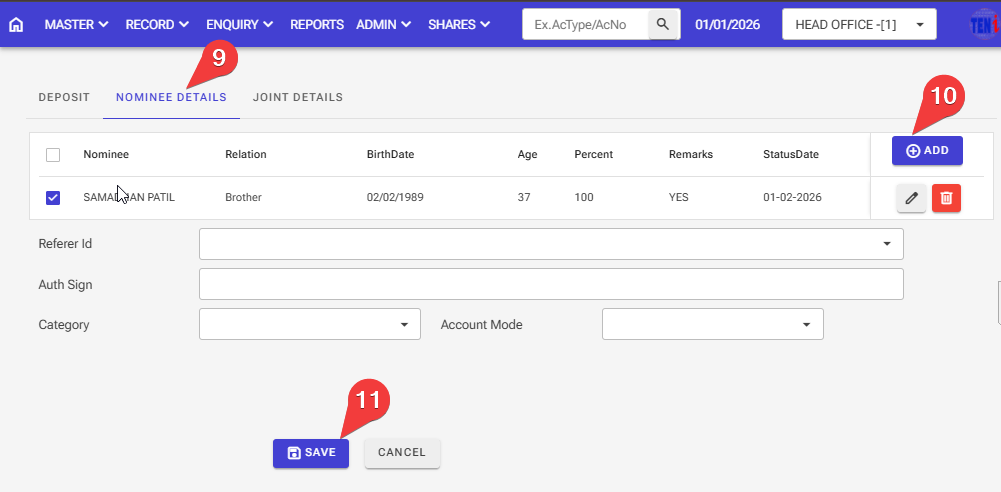
Step :1 Record > Deposits > Deposit Account Opening
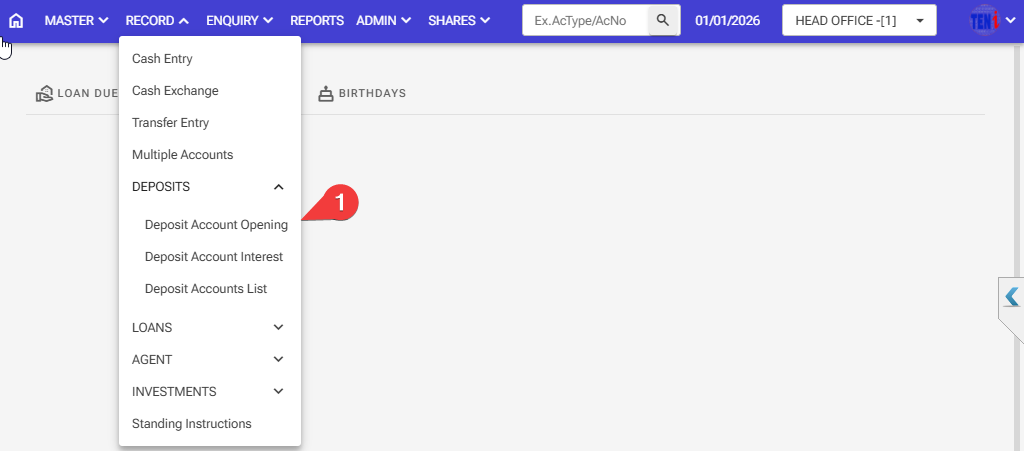
Step 2: Enter The A/C Type Small Savings Accounts.
Step 3: Select the customer ID of the customer for whom this Small Savings account is to be created.
Step 4: Enter the Deposit amount
Step 5: Enter the duration for which you want to open the account, for example, 12 months.
Step 6: Select the period type (e.g., months), and the Scheme ID will be automatically set.
Step 7: Please select the Agent A/c Type under which this account is being opened.
Step 8: Please select the Agent A/c No under which this account is being opened.
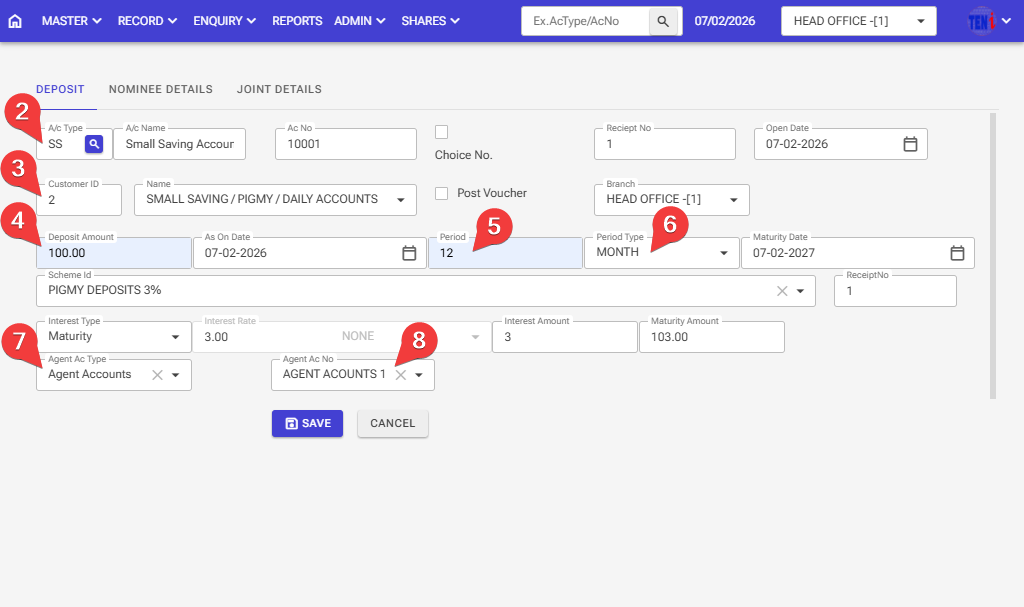
Step 9: Go to the next page, Nominee Details
Step 10: Click on the ‘Add’ button and enter all information for Nominee Details
Step 11: After entering all the information, click the ‘Save’ button, and your account will be open.