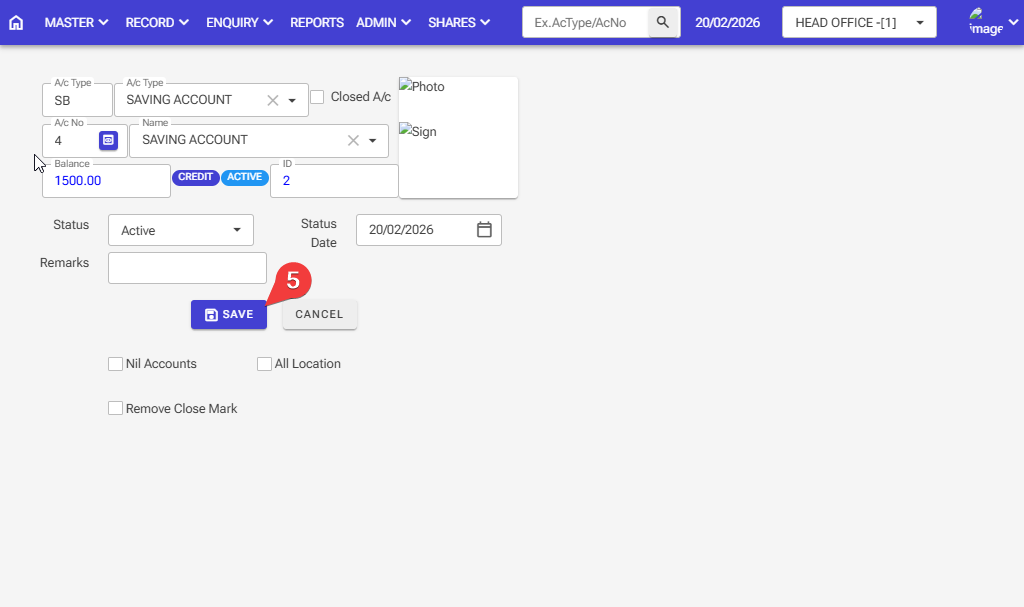
How to Add or Remove Account Status in the software: Follow these steps in the software.
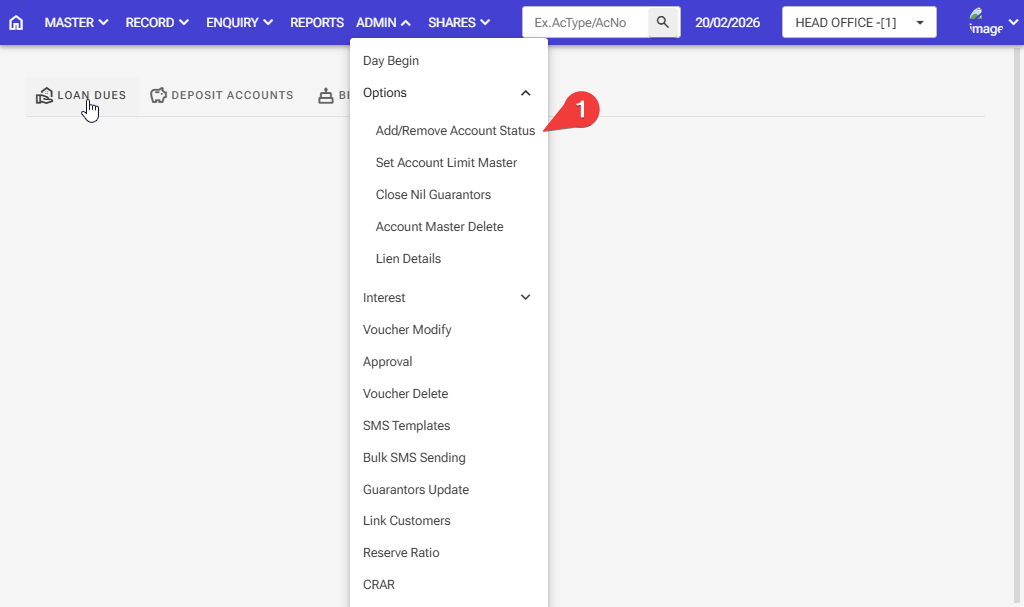
Step 1: Admin > Option > Add/Remove Account Status
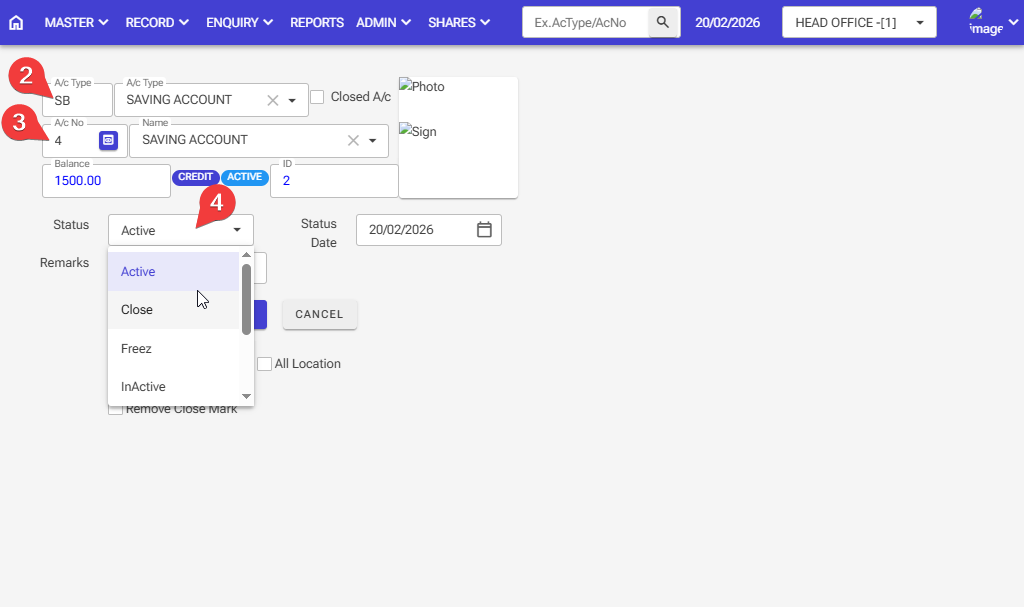
Step 2: Enter the account type for the account status: Active or Closed
Step 3: Enter the account number for the account status: Active or Closed
Step 4: Select the option for which you want the account: Active, Closed, NPA, Freeze, Inactive, and Lean Mark
Step 5: After selecting all the information, click on the save button