How to Set Account Limit Master in the software: Follow these steps in the software.
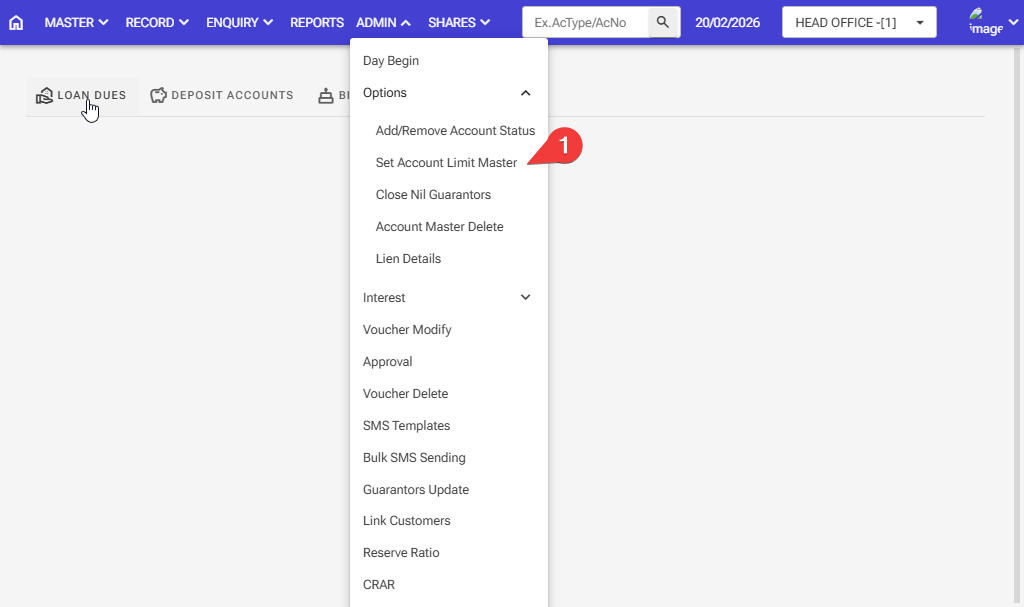
Step 1: Admin > Option > Set Account Limit Master
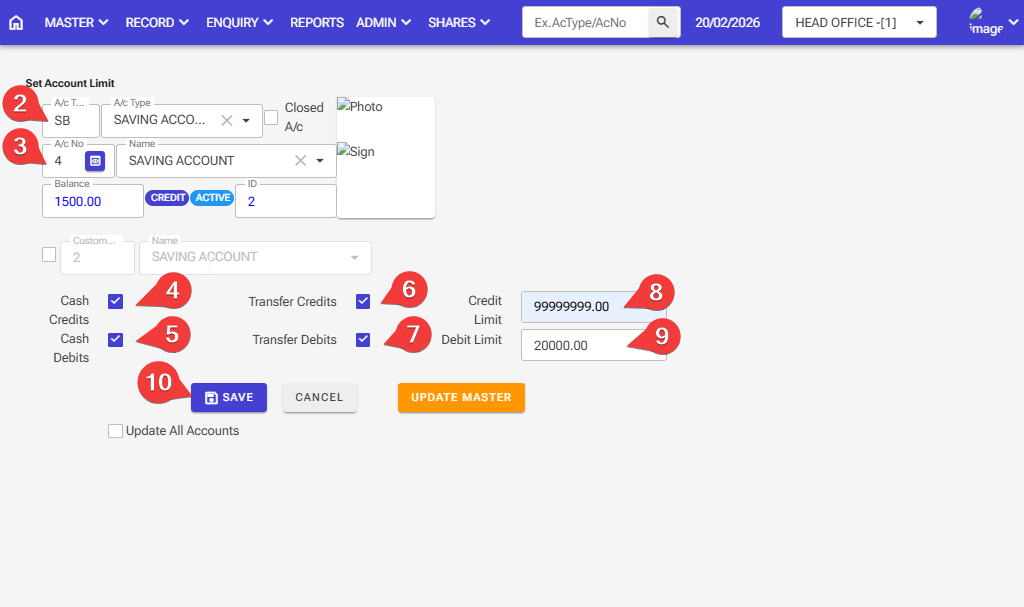
Step 2: Enter the Account Type for Set Account Limit Master
Step 3: Enter the Account Number for Set Account Limit Master
Step 4,5,6,7: Tick all the options for Cash Credit, Cash Debit, Transfer Credit, and Transfer Debit, then your entry will be save
Step 8,9: Set the limit that you want for the Credit Limit and Debit Limit
Step 10: After selecting all the information, click on the save button