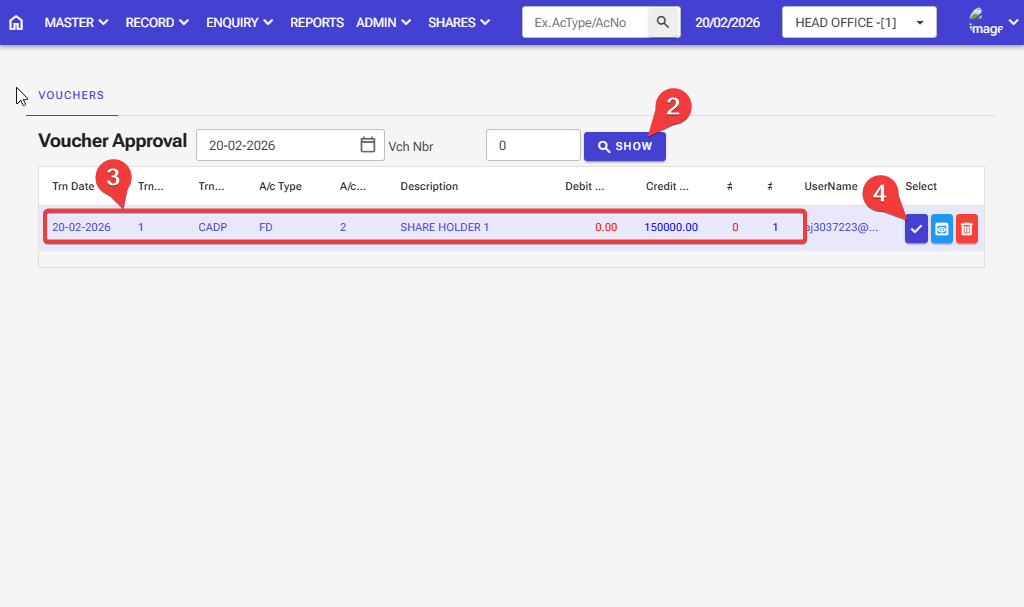
How to Voucher Approval in the software: Follow these steps in the software.
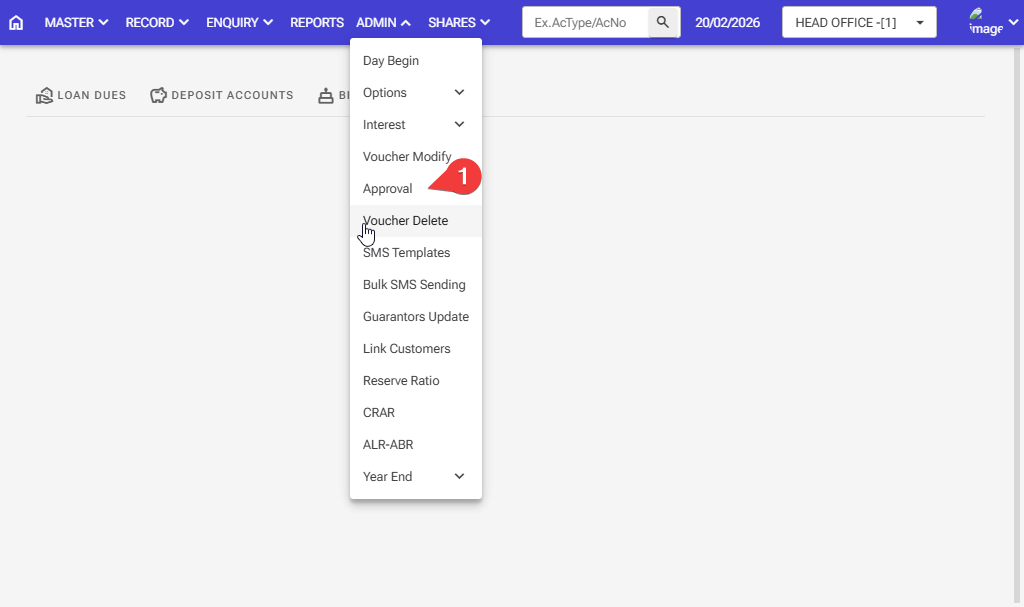
Step 1: Admin > Approval
Step 2: Click the Show button, and all vouchers for the same day will appear.
Step 3: Check the Voucher is correct
Step 4: Then click the right icon, and your voucher will be approved