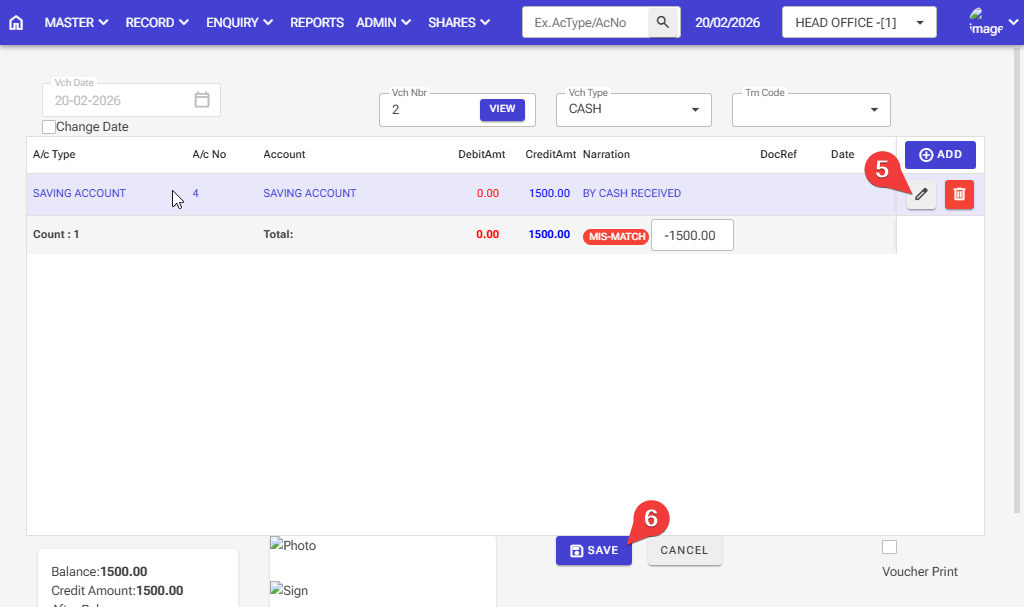
How to modify the voucher in the software: Follow these steps in the software.
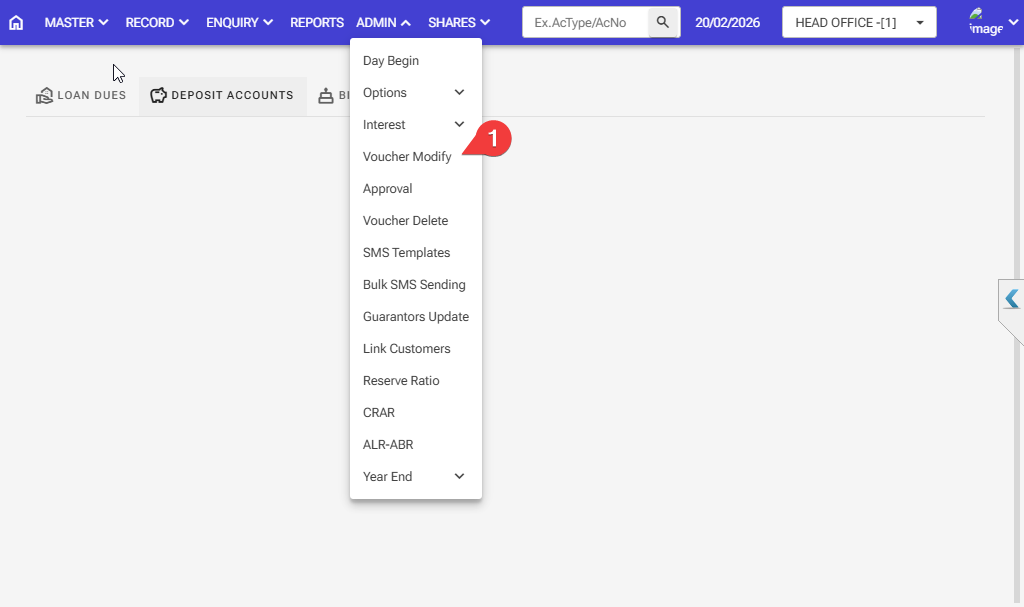
Step 1: Admin > Voucher Modify
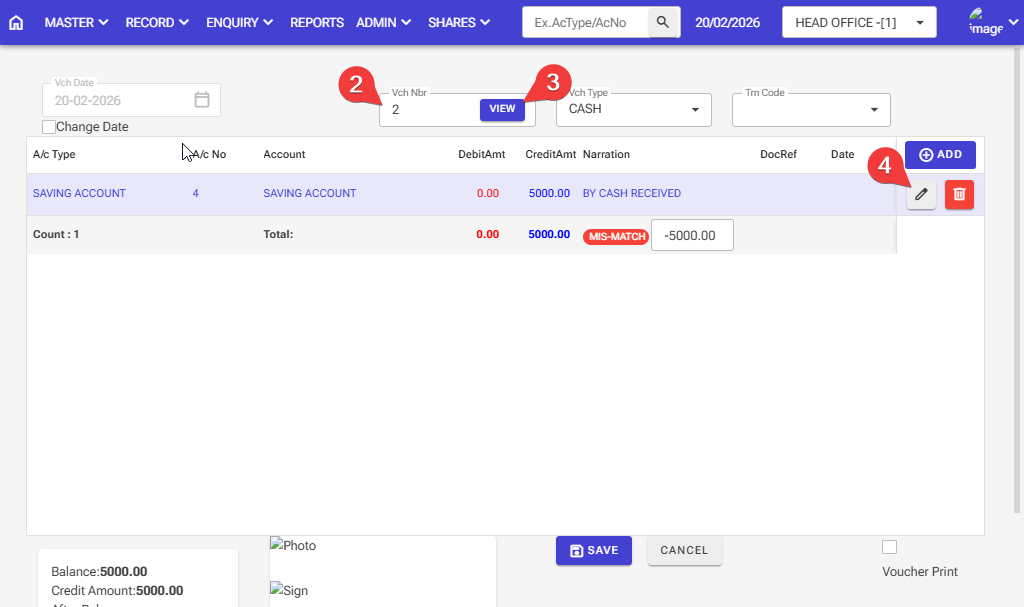
Step 2: Please enter the voucher number to modify the voucher.
Step 3,4: After entering the voucher number, click on the view button, then the voucher will appear,r and then you can make any changes you want to make.
Step 5: After making changes to the voucher, click on the pencil button
Step 6: After all changes, click on the save button