How to Calculate the Agent Commission for the Agent Account: Follow these steps in the software.
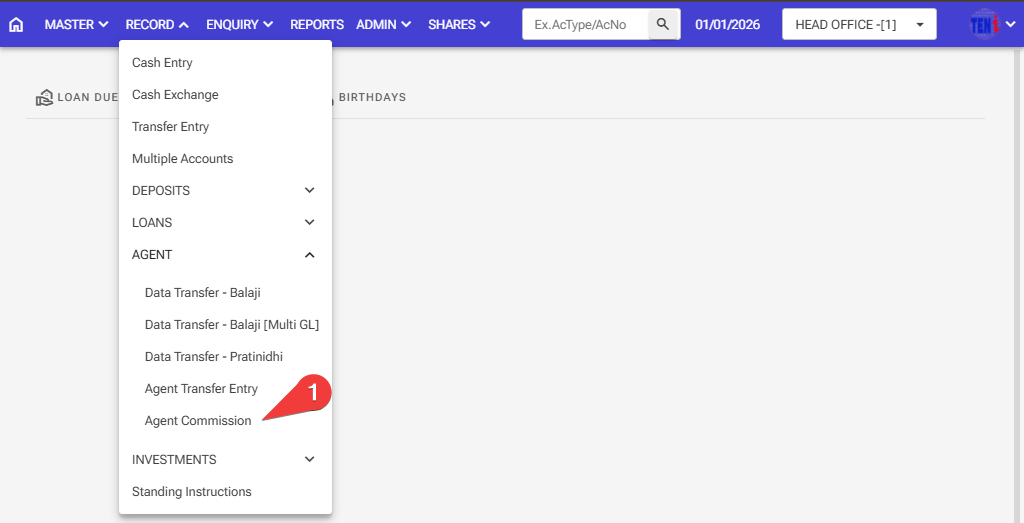
Step :1 Record > Agent > Agent commission
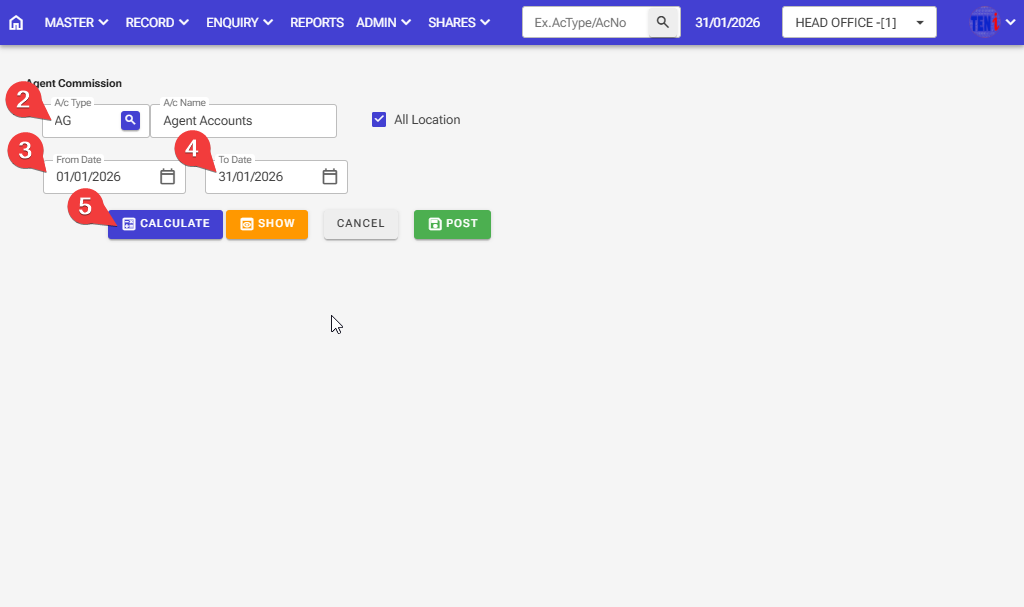
Step 2: Enter The A/C Agent Account Type
Step 3: Select a time period: One month, from date
Step 4: Select a time period: One month, to date
Step 5: Click the ‘Calculate’ button.
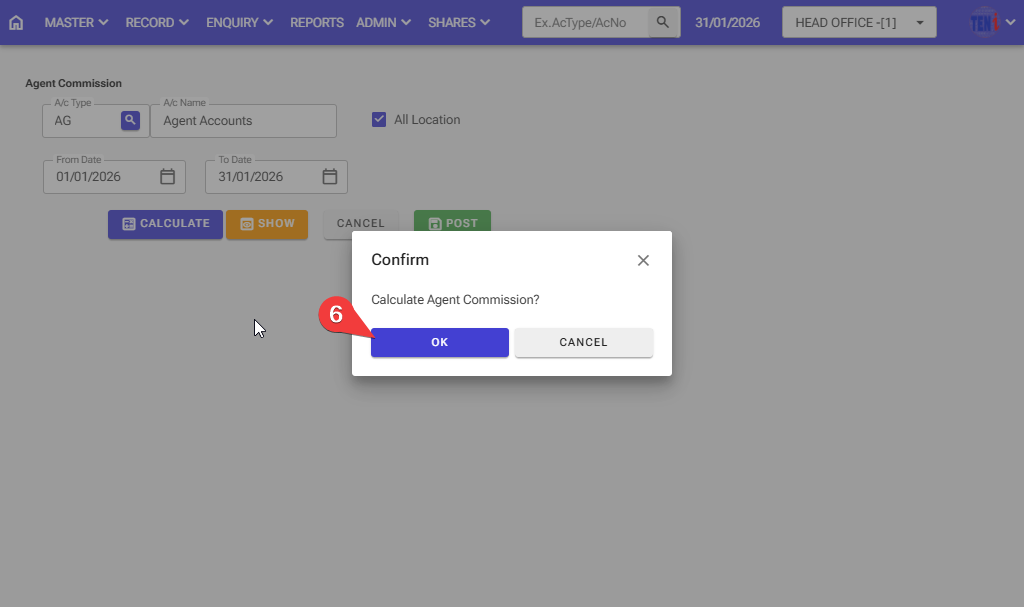
Step 6: Do you want to calculate the agent commission? Click on the OK button.
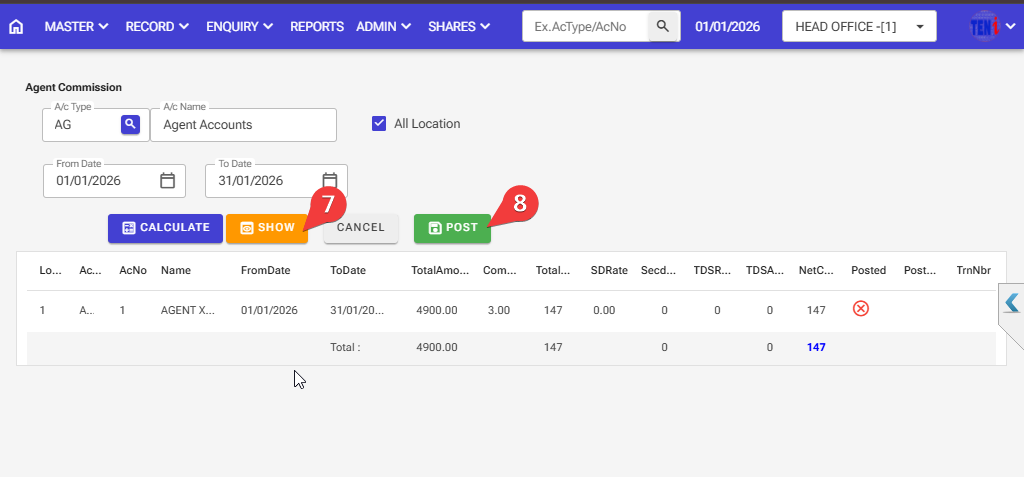
Step 7: After calcaltion done, click on the show button
Step 8:First, check if the calculation is correct, then click the ‘Post’ button
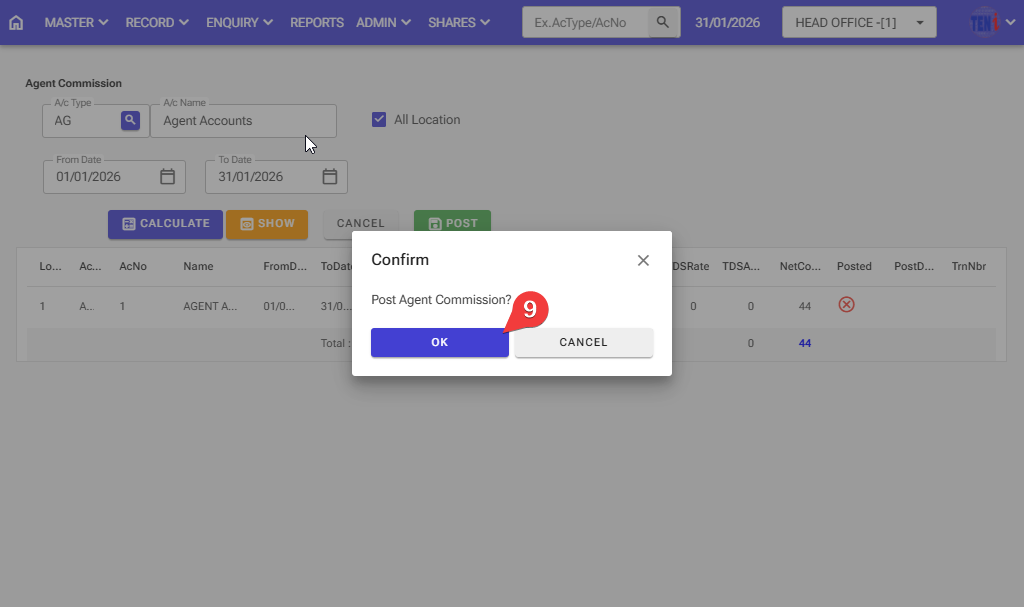
Step: 9 . Click the ‘OK’ button And your agent commission will be posted.
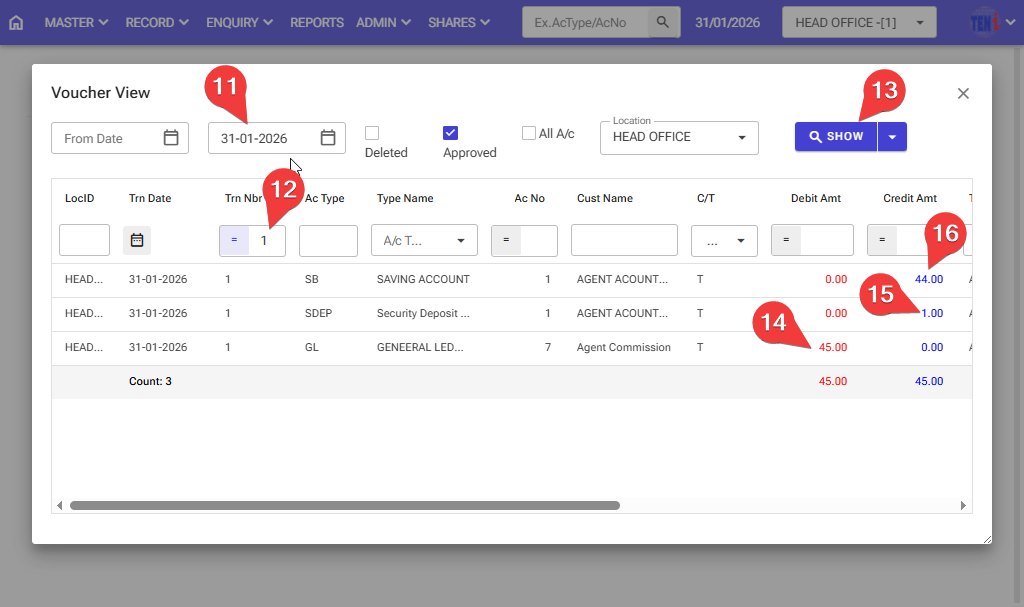
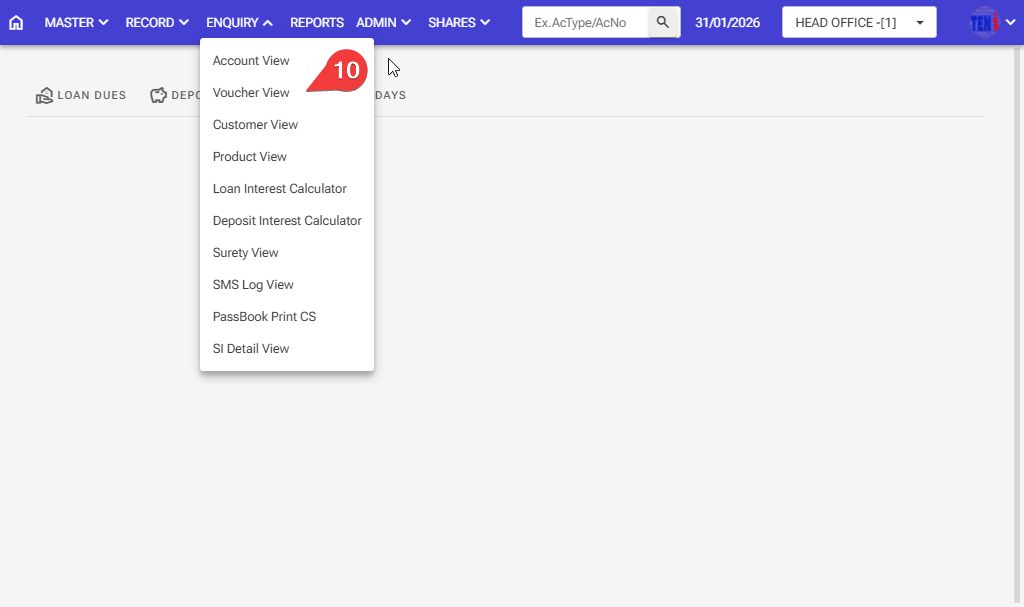
Step 10: How to check after the agent commissions posted an entry in the software
Step 11: Select the date the agent commission was posted.
Step 12:Enter the voucher number on which the agent commission took place.
Step 13: Click on the Show button, and the entry will then open.
Step 14,15,16: This entry will debit the agent commission general ledger and credit it to the savings account/security deposit accounts