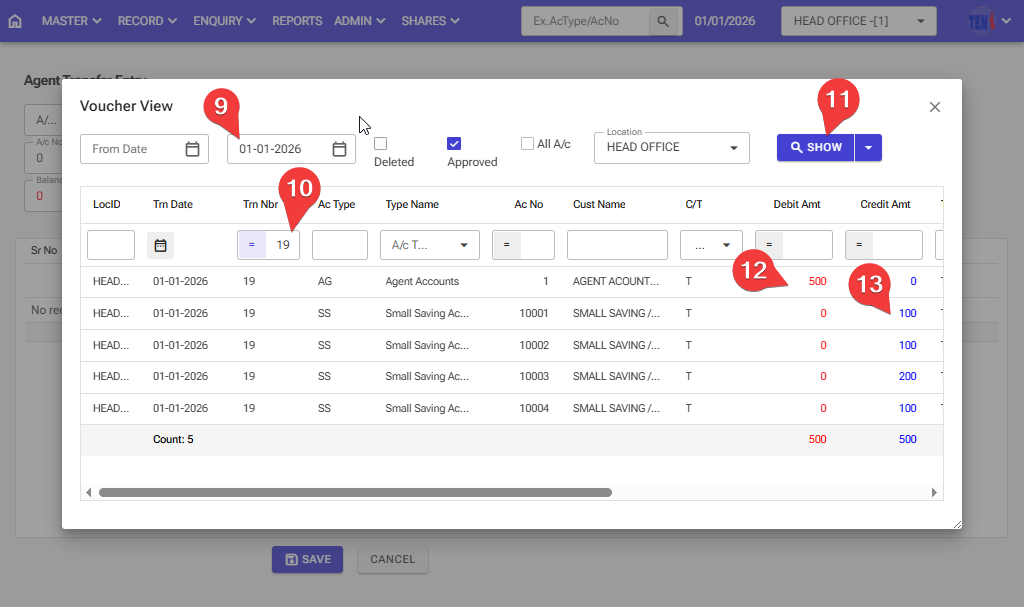
How to transfer the agent’s record to the small savings account: Follow these steps in the software.
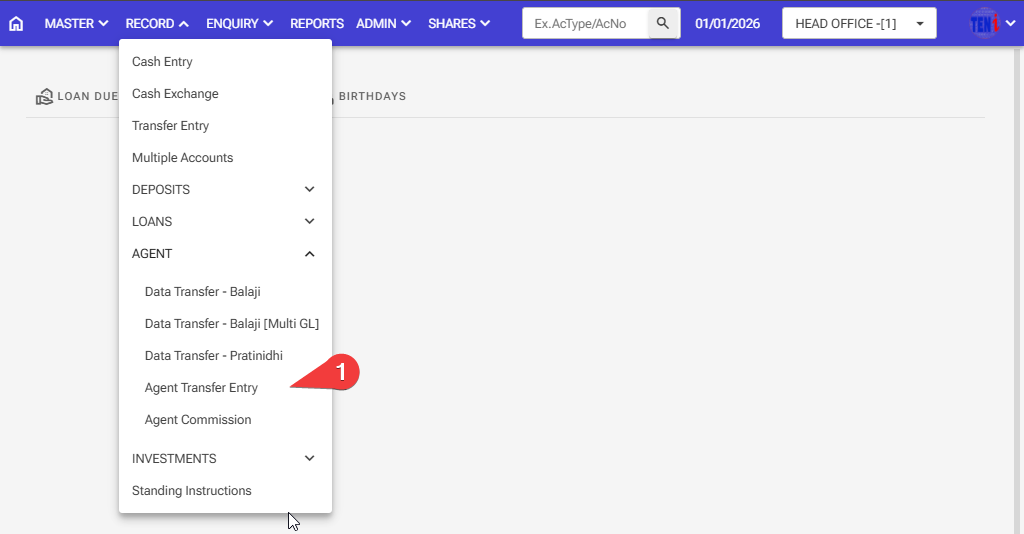
Step :1 Record > Agent > Agent Transfer Entry
:
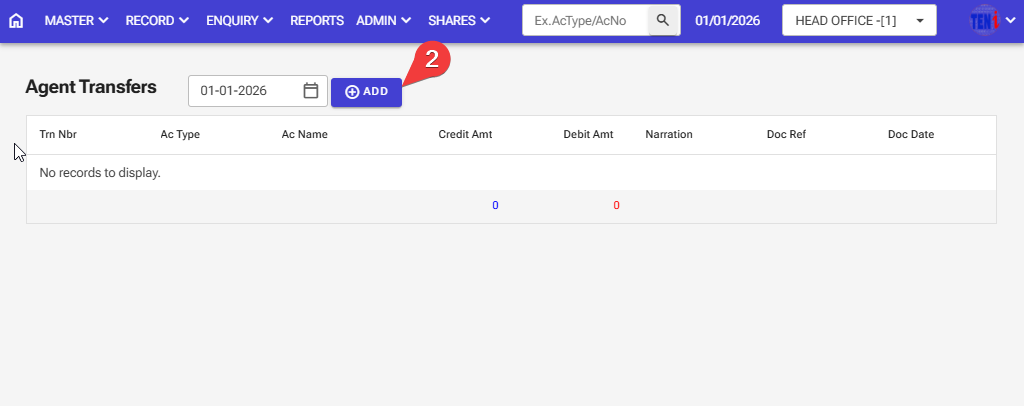
Step 2: Click the ‘ADD’ button
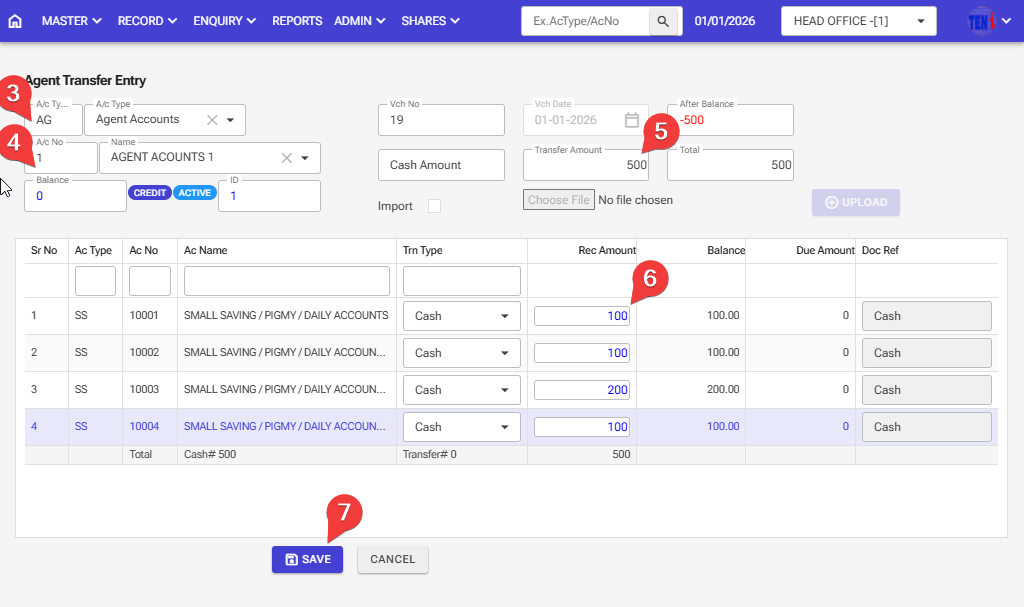
Step 3: Enter The A/C Agent Account Type
Step 4: Enter The A/C Agent Account Number
Step 5: Enter the total collection amount for the small savings account here.
Step 6: Enter the individual customer amount for the small savings account here.
Step 7: After entering all the information, click the ‘Save’ button, and your entry will be saved.
Step 8: How to check after saving an entry in the software
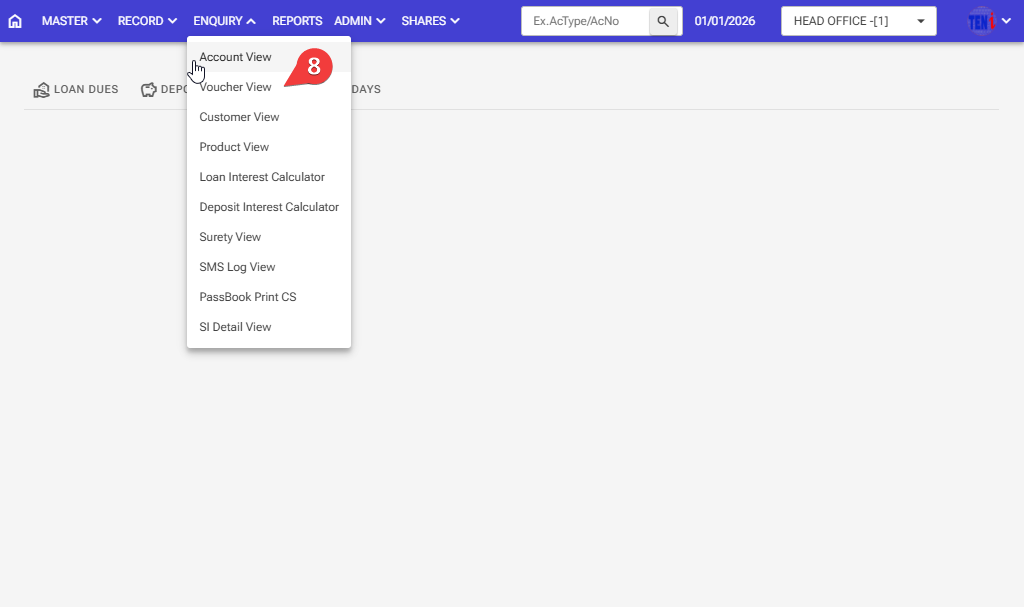
Step 9: Select the date on which the agent transfer was made.
Step 10:Enter the voucher number on which the agent transfer took place.
Step 11: Click on the Show button, and the entry will then open.
Step 12: This entry will debit the agent account and credit it to the small savings/pigmy / daily accounts