How to withdraw money into a savings account: Follow these steps in the software
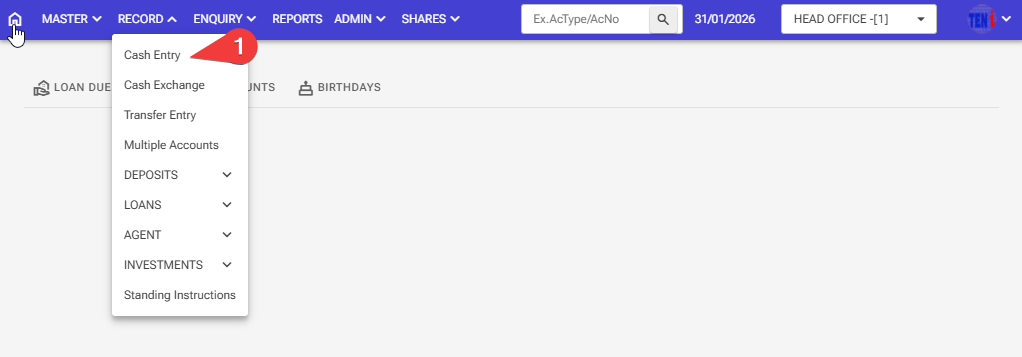
Step 1: Record > Cash Entry
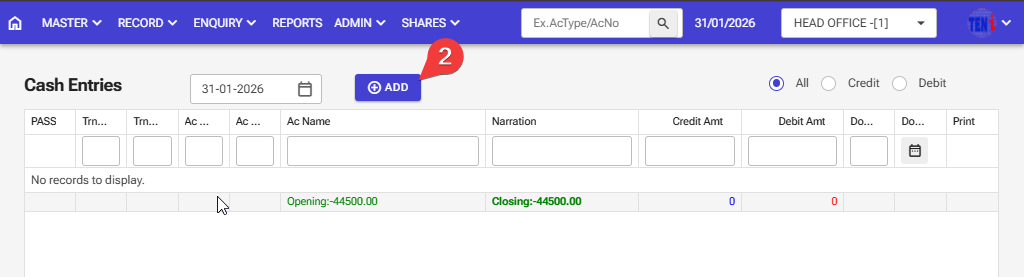
Step 2:Click on the ADD button
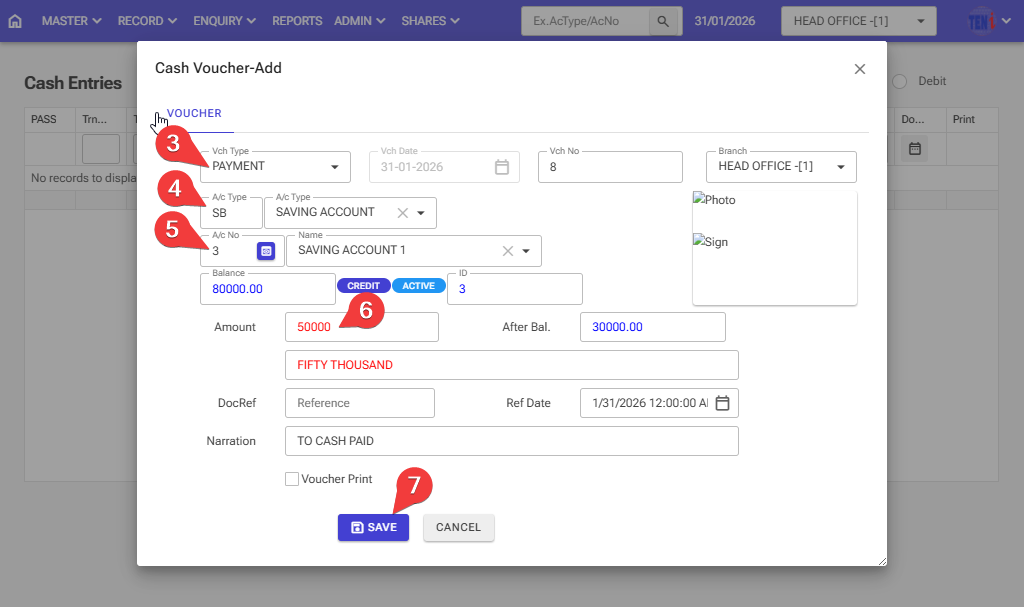
Step 3: Please select the Voucher type Payment
Step 4: Enter the account type for Savings
Step 5: Enter the account number for saving
Step 6: Enter the Debit amount
Step 7: After filling in all the information, click on the ‘Save’ button, and your money will be withdrawn from your savings account.