How to open a customer account: Follow these steps in the software.
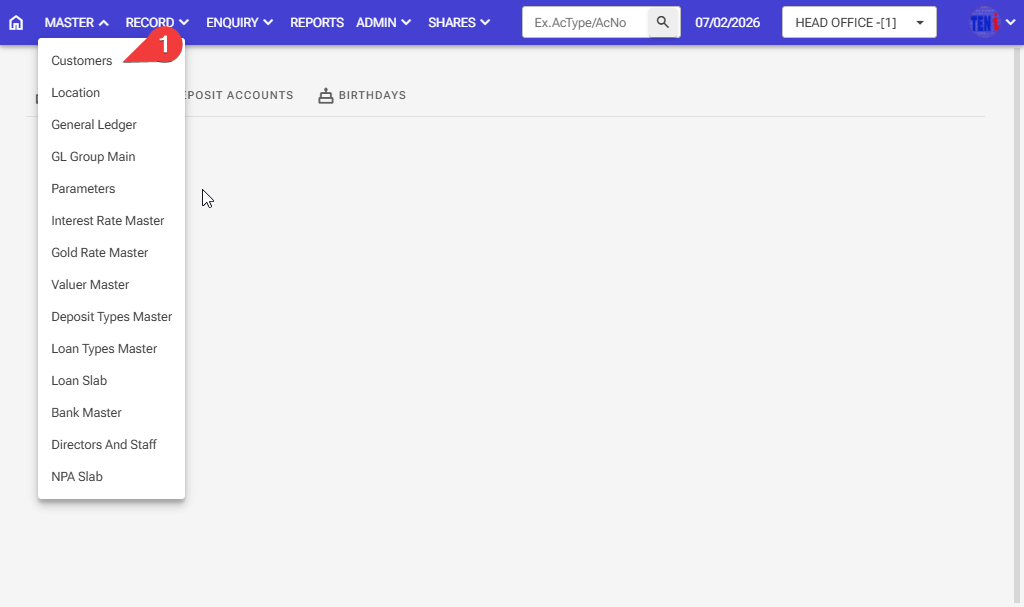
Step 1: Master > Customers > Add
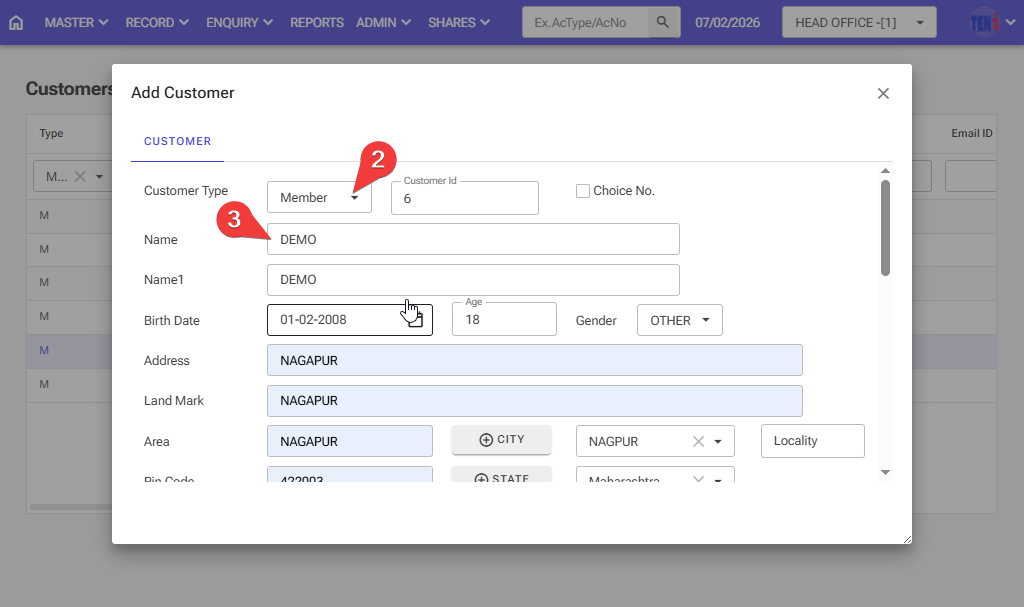
Step 2: Select the customer type for the member
Step 3: Fill in all the information in this form.
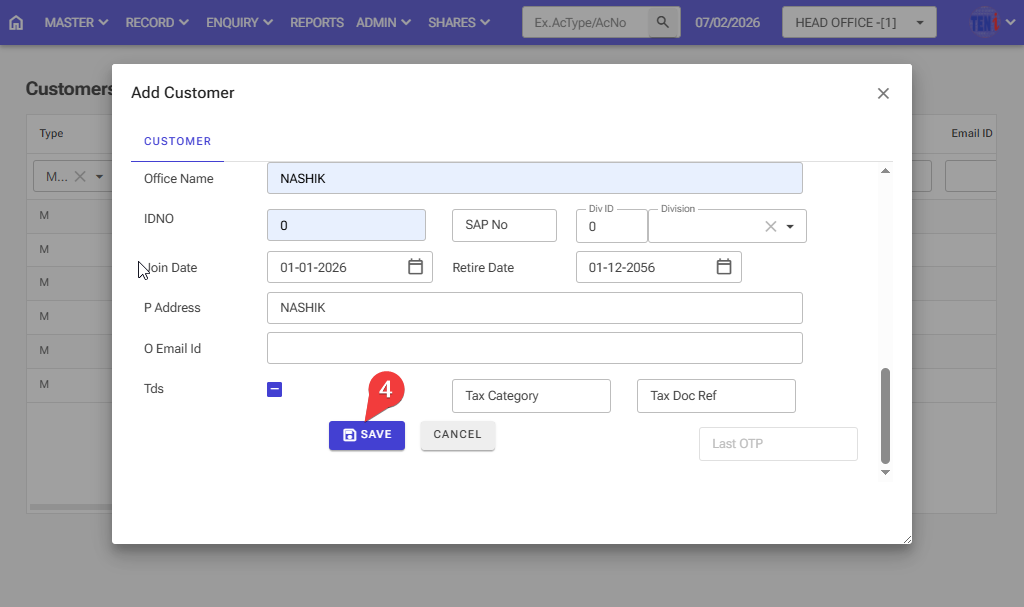
Step 4: After filling in all the information, click on the Save button, and your customer account will be opened.