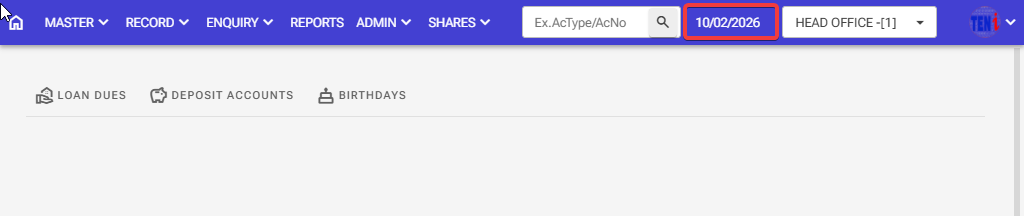
How to Day End: Follow these steps in the software.
Step 1: The software date is running as 09/02/2026. So, how do you turn off this date and turn on the date as 10/02/2026
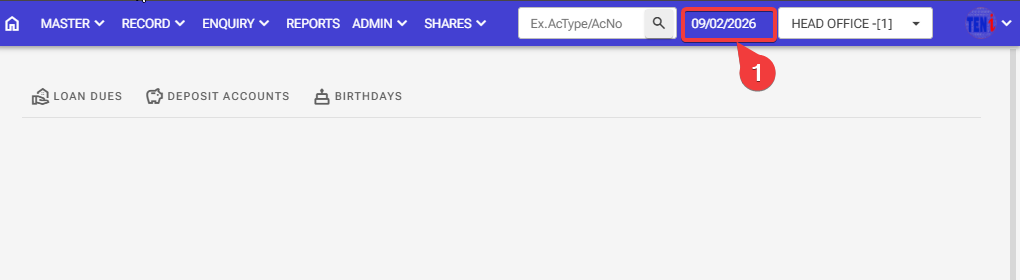
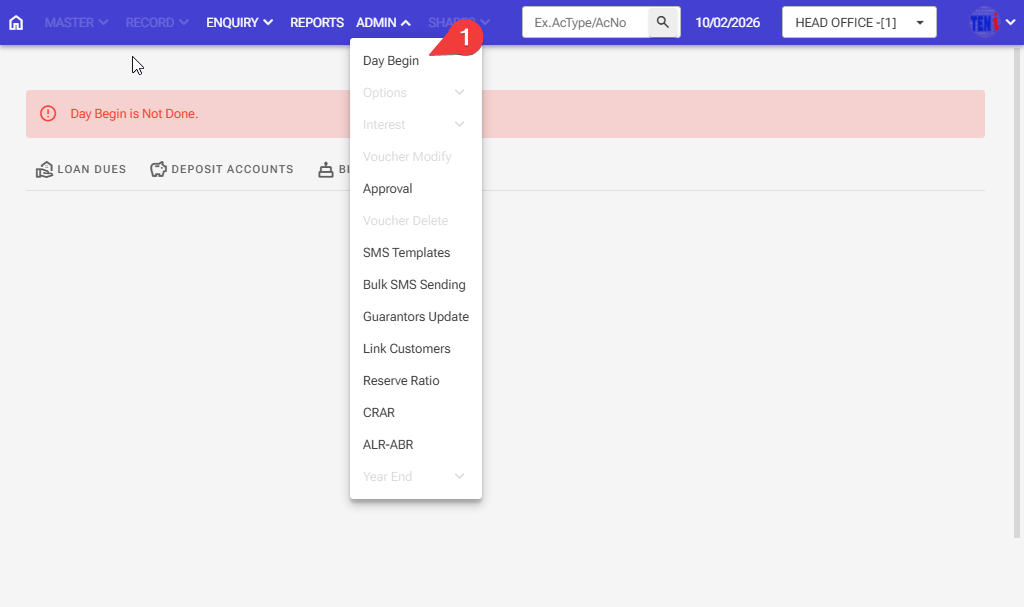
Step 2: Admin > Day Begin
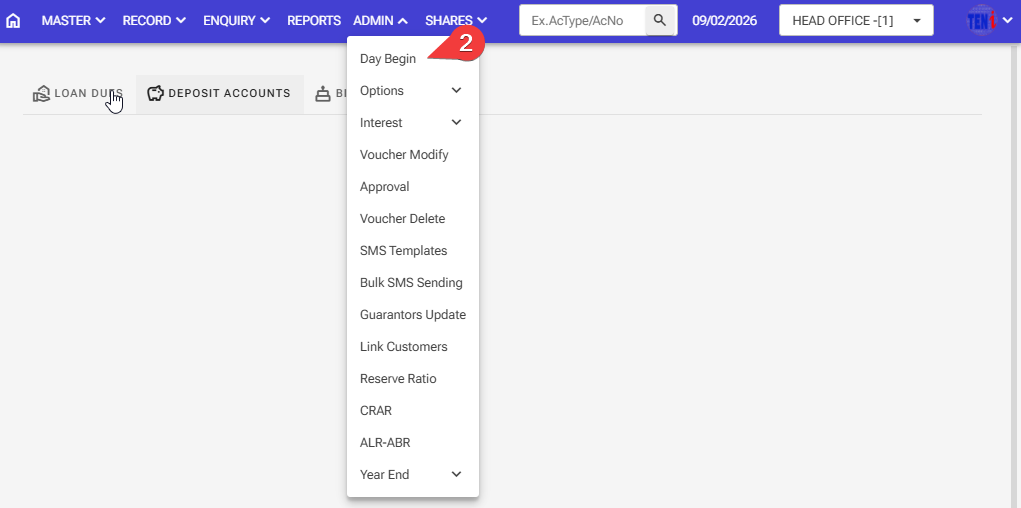
Step 3: Click on this row
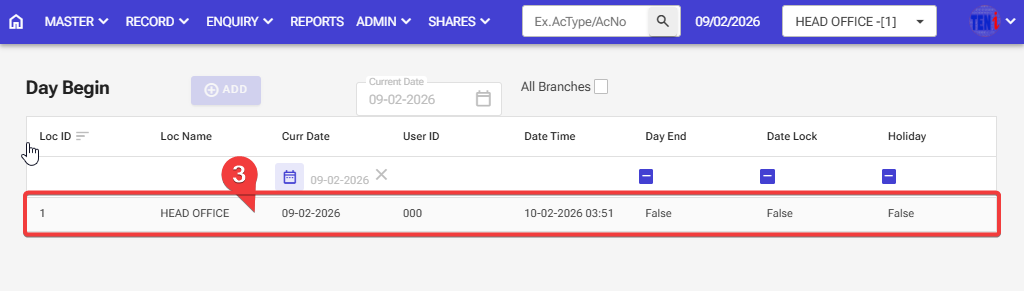
Step 4: Click on the Day end
Step 5: Click the SAVE button. Your day will end
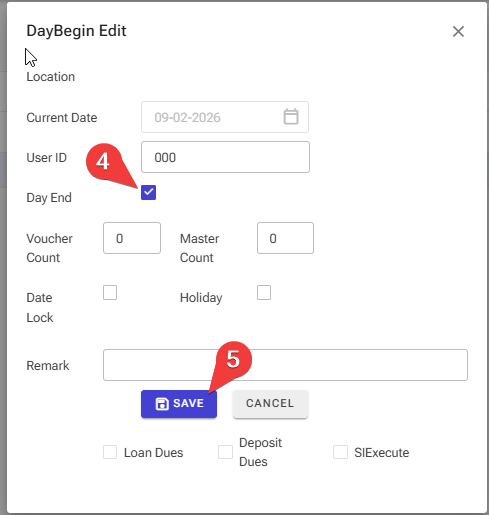
Step:6 Your day has ended on 09/02/2026.
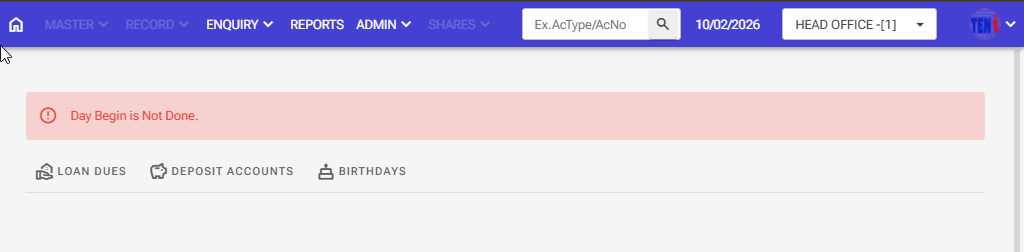
Step 1 Admin > Day Begin > Day Start
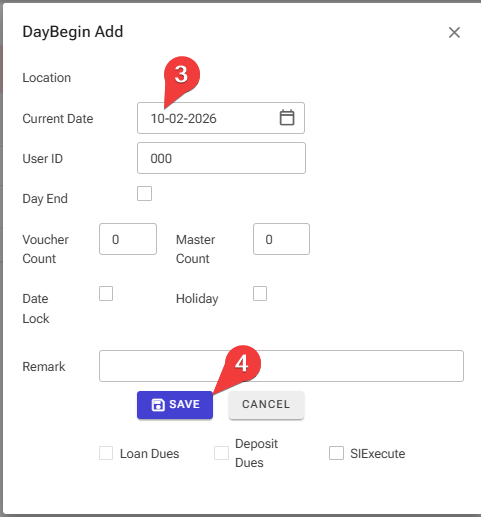
Step 2: Click on the ADD button
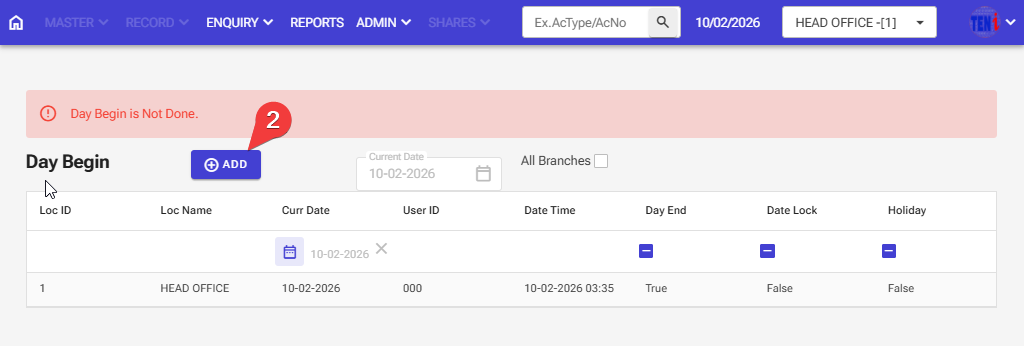
Step 3: Select the date you want to start the day
Step 4: Click on the SAVE button
Step 5:The software date starts on 10/02/2026.