How to Check the Denomination Report: Follow these steps in the software.
Step 1: Click on the Reports option, then the screen for Reports will open.
Step 2: Select Denomination Report from the dropdown.
Step 3: Select the date for which you want to generate the report for the Denomination Report
Step 4: Click on the SHOW button. The report will be generated, and the report will open in a new window.
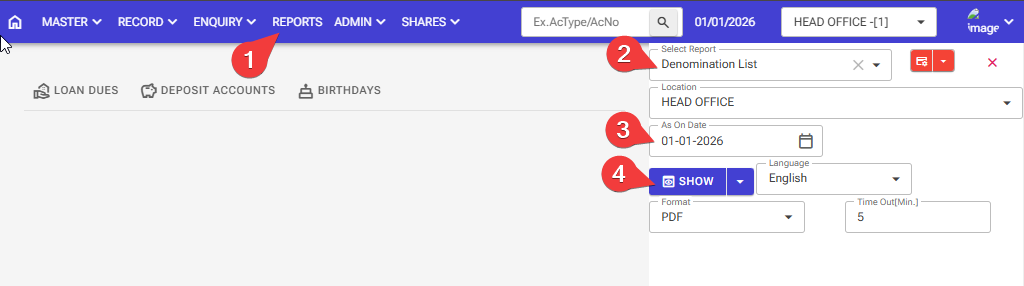
Step 5: Denomination Report is now open
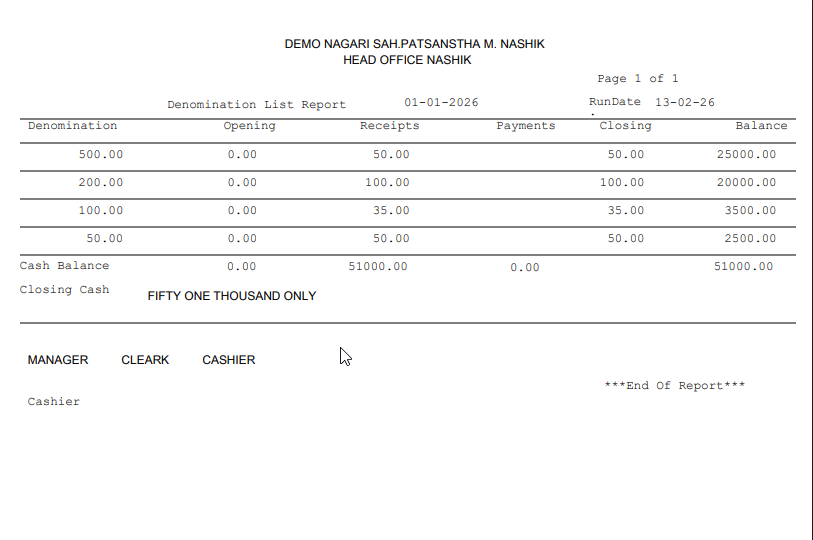
Step 6 Denomination Report PDF
Denomination Report.pdf (31.3 KB)