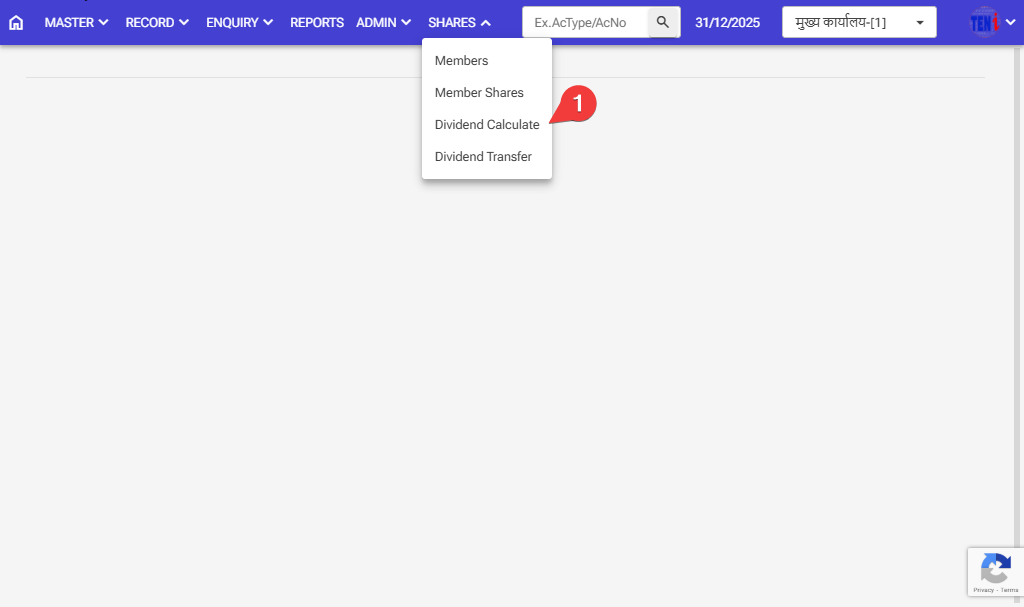
How to Calculate the Dividend and post: Follow these steps in the software
Step:1 Shares > Dividend Calculate
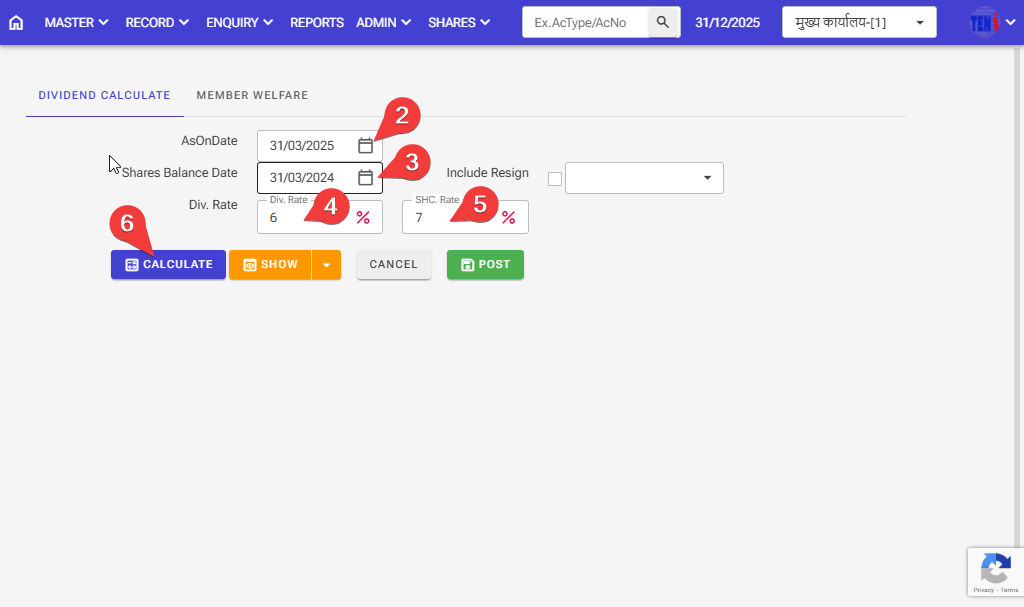
Step 2,3: Select the date for which you want to calculate the Dividend, the AsonDate date, and the Shares Balance date
Step4,5: Please enter the dividend rate and share rate
Step 6: Click on the calculate button. Then your calculation will be done
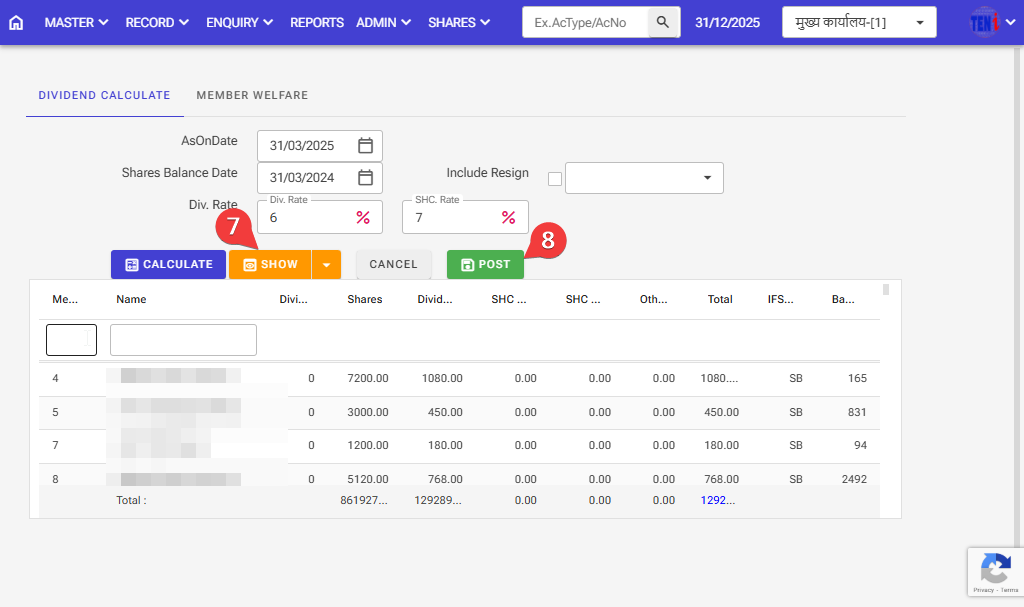
Step 7,8: Click on the Show button. Then check the Calculation is correct, then post
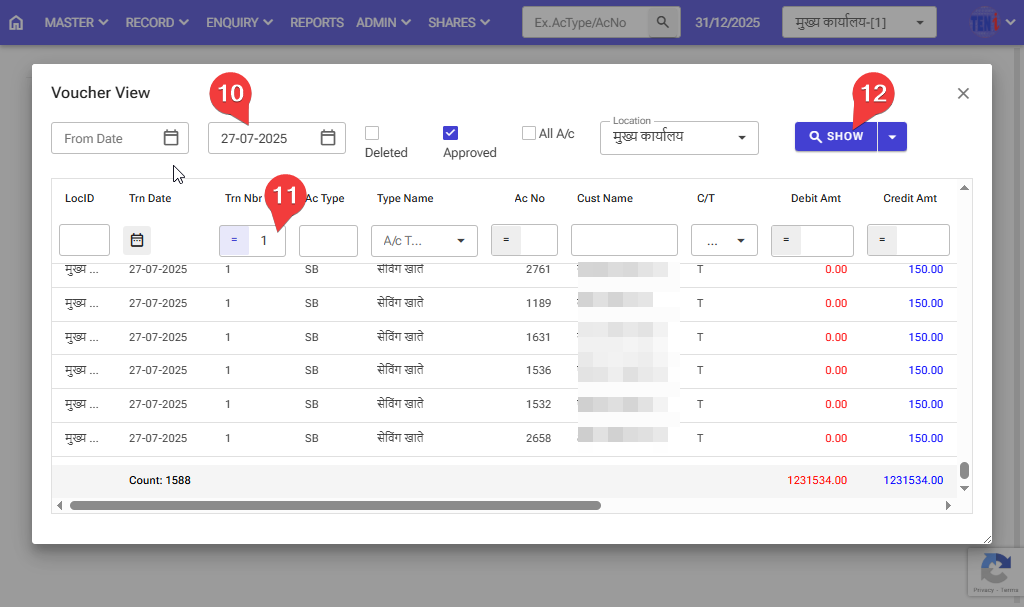
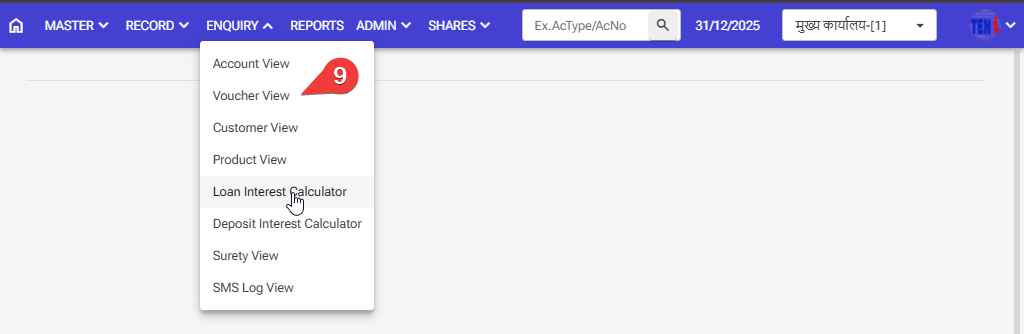
Step 9: How to check after the Divdent is posted in the software
Step 10: Select the date the Dividend was posted.
Step 11:Enter the voucher number on which the Dividend was posted.
Step 12: Click on the Show button, and the entry will then open.
This entry will debit the Shares’ general ledger account and credit it to the savings accounts