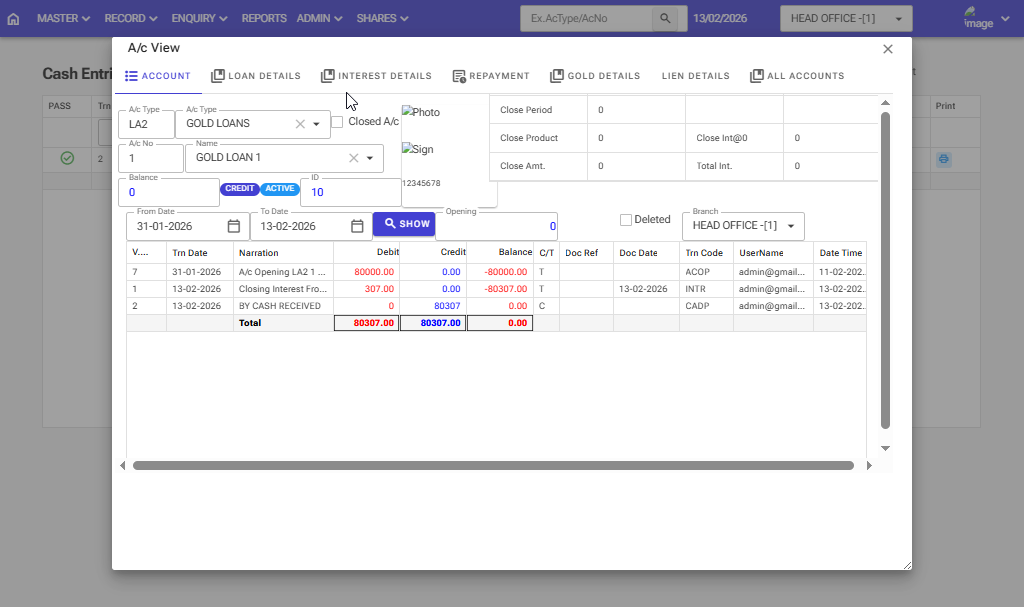
How to close a Gold Loan closing interest account before maturity: Follow these steps in the software.
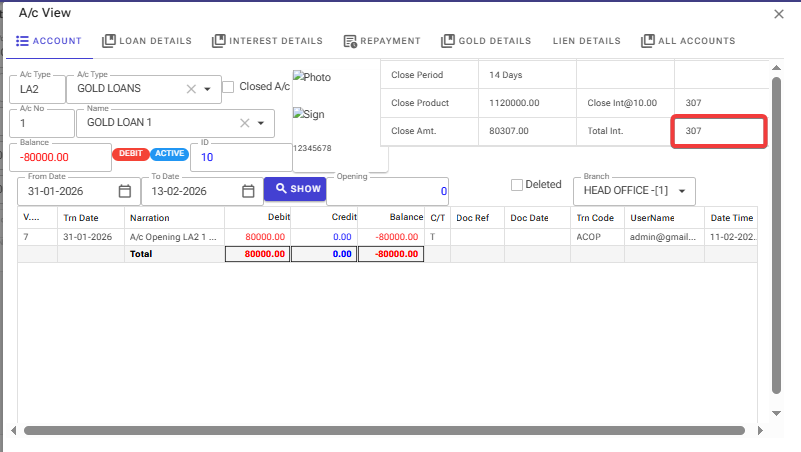
Gold loan account information and total interest are showing 307 for 14 days
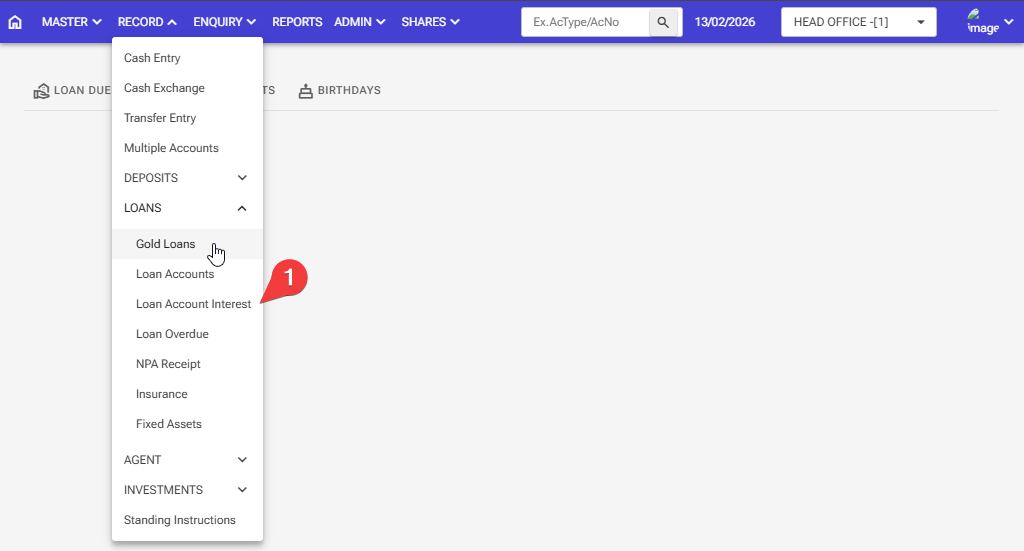
Step 1: Record > Loans > Loan Account Interest
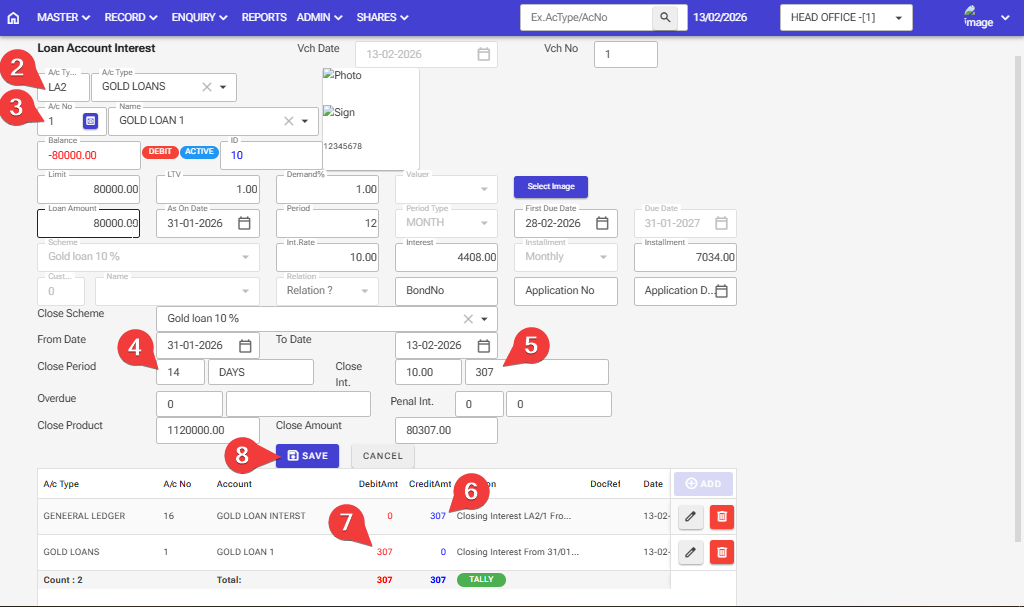
Step 2: Enter The A/C Type Gold Loan Account.
Step 3: Select the Acno of the customer for whom this Gold Loan Account is to be interest Post and Closed.
Step 4: Interest is being charged from the time the account is opened.
Step 5: In a Gold loan account, the software will automatically calculate the interest
Step 6,7:The interest will be debited to the gold loan and credited to the general ledger 16 number
Step 8: After filling in all the information, click on the ‘Save’ button
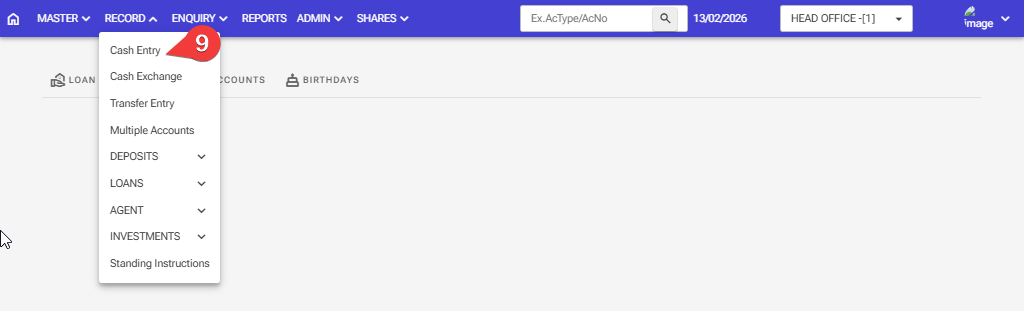
Step 9: If the customer has brought money to the bank, then such an entry should be made
Record > Cash Entry
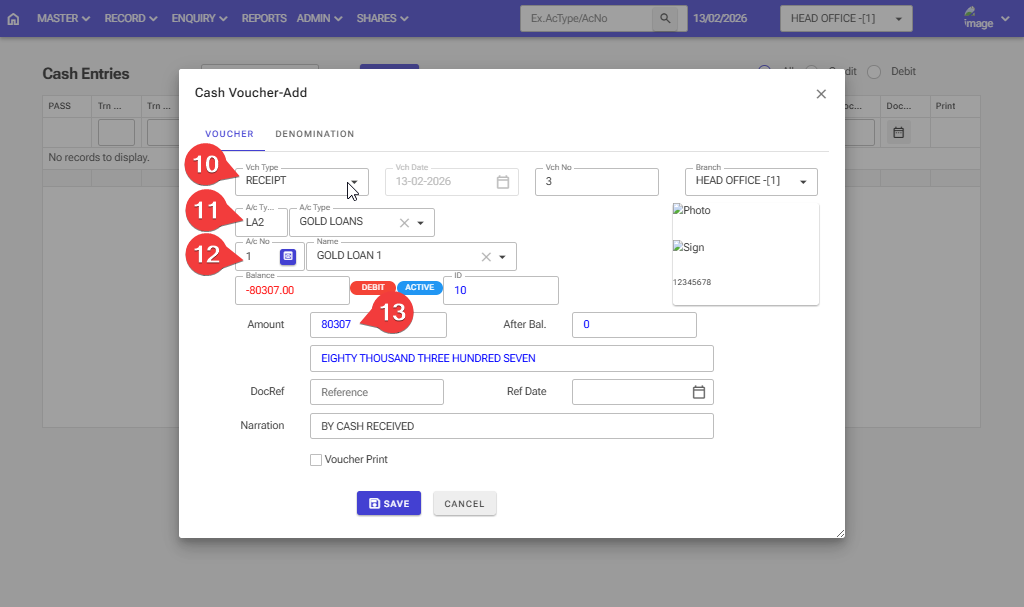
Step 10: Please select the Voucher type Receipt
Step 11: Enter the account type for Savings
Step 12: Enter the account number for saving
Step 13: Enter the Credit amount
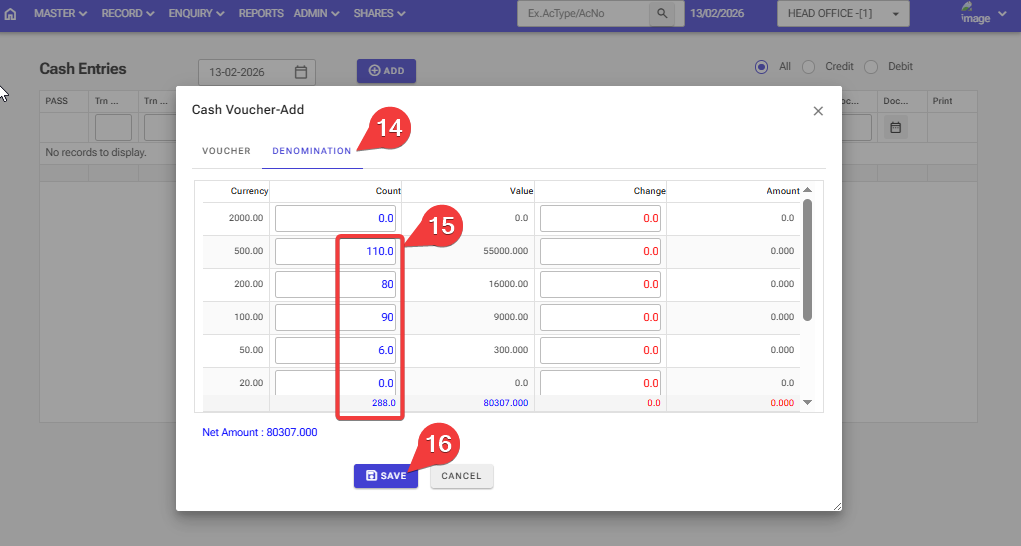
Step 14: Click on the Denomination
Step 15: Enter here information about what notes you have and how many notes.
Step 16: After filling in all the information, click on the ‘Save’ button, and your money will be deposited into the Gold loan account.
Your gold mortgage loan account has been zero now.