How to Open a Gold Loan Account: Follow these steps in the software
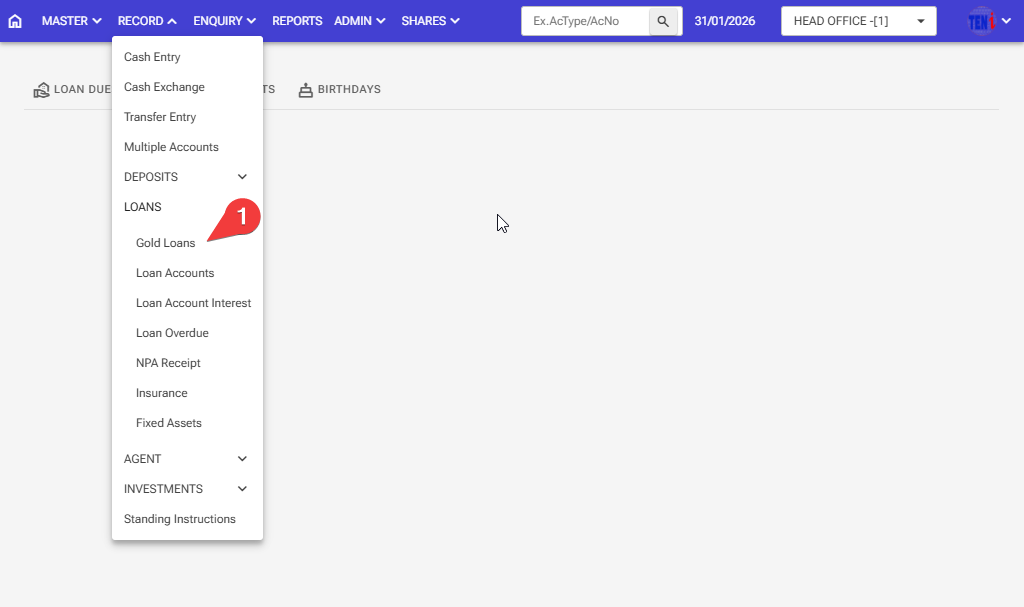
Step 1: Record > Loans > Gold loans
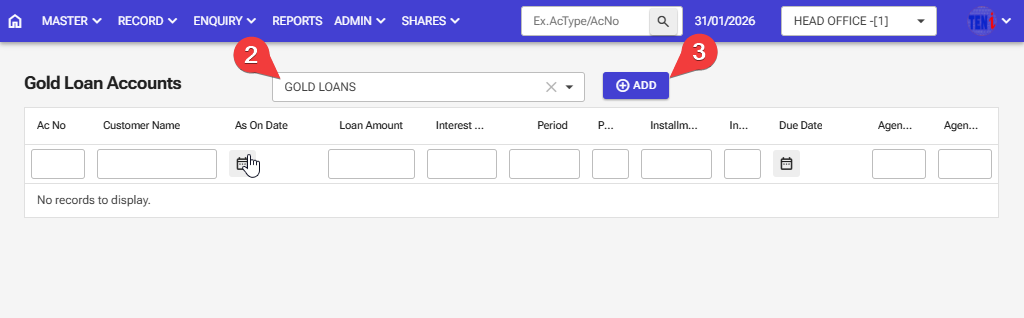
Step 2: Select the A/C Type Gold Loans
Step 3: First, select the Gold loans type. then Click on the ‘Add’ button
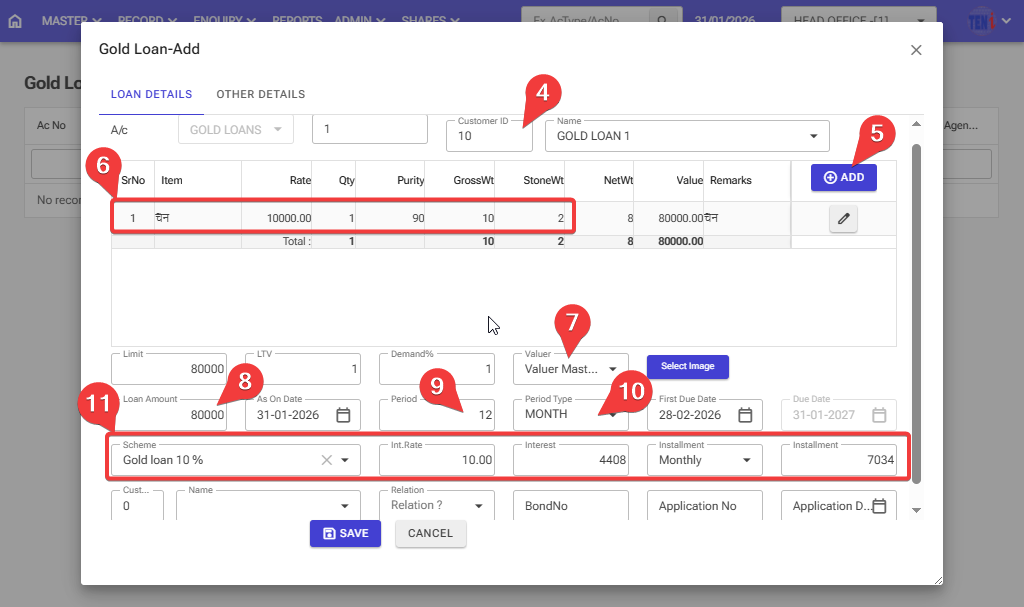
Step 4: Select the customer ID of the customer for whom this gold loan account is to be created.
Step 5: Click on the ‘Add’ button to enter the gold details
Step 6: Enter all details for gold and then click on the right icon.
Step 7: Select the name of the person who determines the price of the gold
Step 8: Enter the amount of the loan sanctioned
Step 9: Enter the period for which you want to borrow the loan, for example, 12 months.
Step 10: Select the period type (months)
Step 11:The period, period type, then the Schems ID, interest, and installment will be automatically selected.
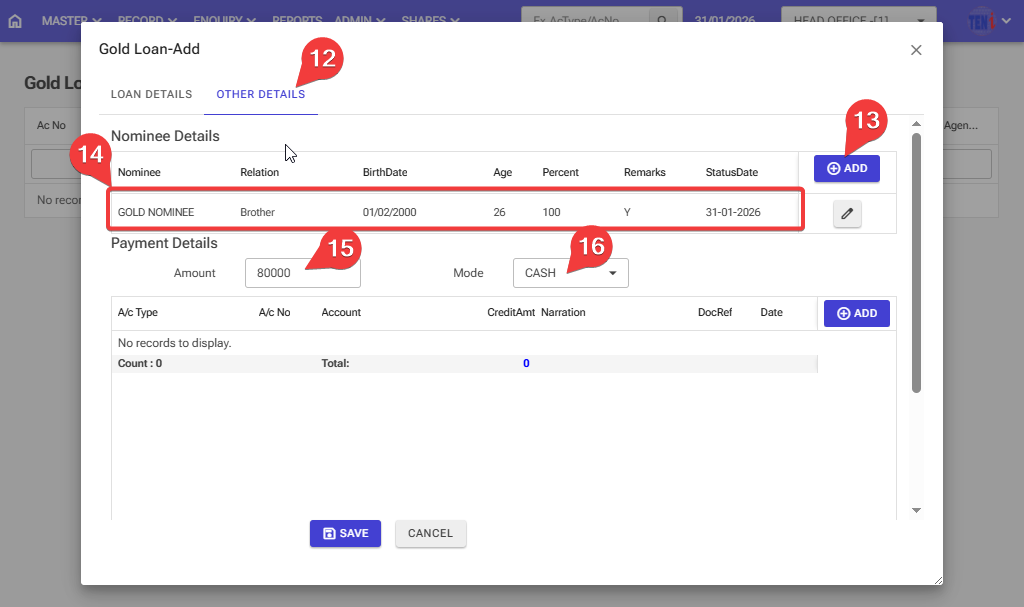
Step 12:Go to the next page for other details
Step 13: Click on the add button
Step 14:Enter all the information for the Nominee details and then click on the right icon.
Step 15: Enter the amount of the loan sanctioned
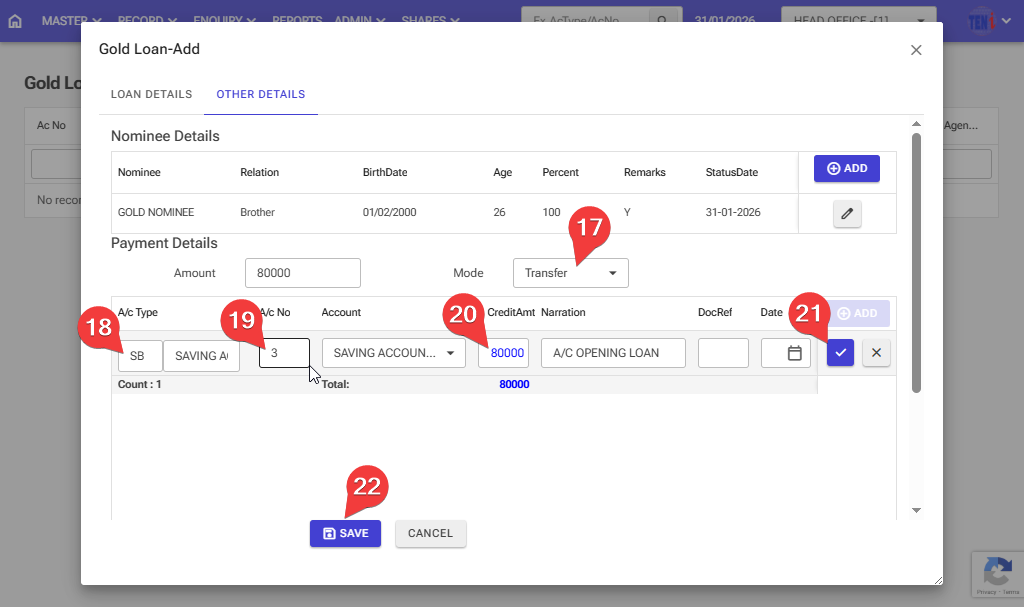
Step 16:The software has two options for payment. Choose the first payment method for cash.
Step 17:The software has two options for payment. Choose the first payment method for transfer.
Step 18,19,20:Select the account type. Select the account number. Enter the amount.
Step 21:then click on the right icon.
Step 22: After entering all the information, click the ‘Save’ button, and your Gold loan account will be open.