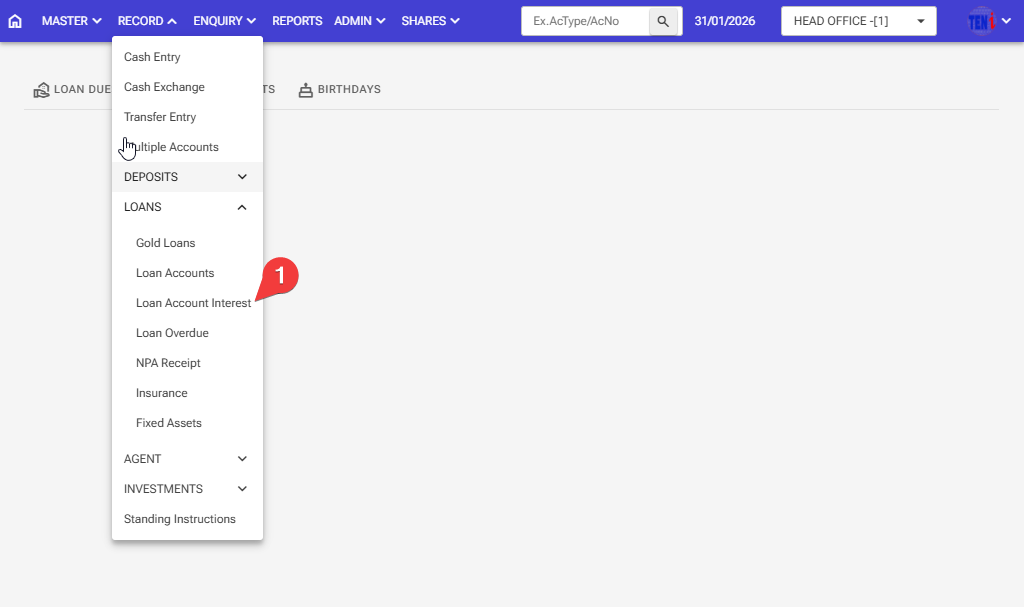
How to Close a Loan Account: Follow these steps in the software
Step 1: Record > Loans > Loan Account Interest
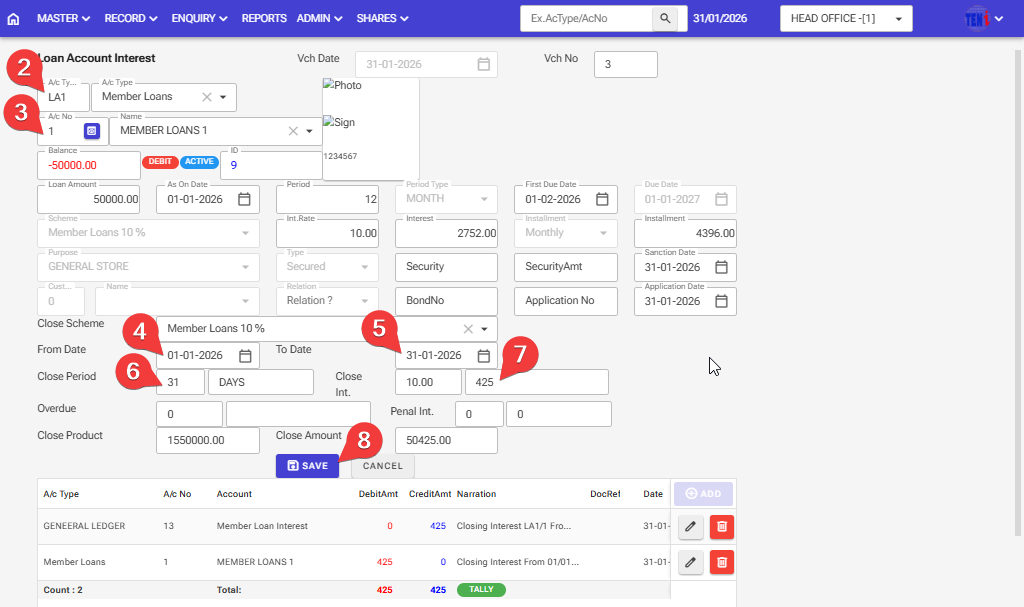
Step 2: Select the A/C Type member Loans Account.
Step 3: Select the account number of the customer whose loan account you want to close and on which interest is to be debited.
Step 4,5: If the account has been open for a month, and you want to add interest to that account, the from date-to-date will automatically appear there.
Step 6: The closed period will automatically appear.
Step 7: If the account has been open for a month, and you want to add interest to that account, the interest will automatically appear there.
Step 8: After filling in all the information, click on the ‘Save’ button.
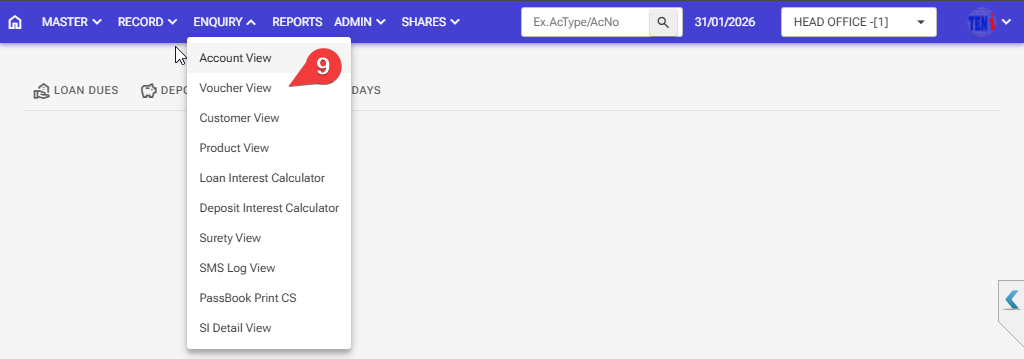
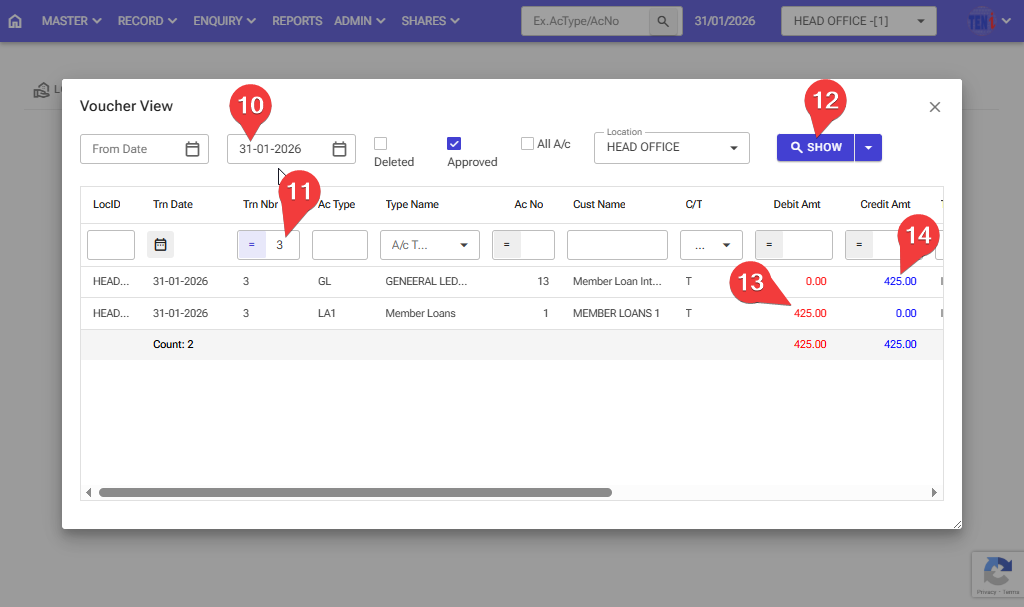
Step 9: How to check if interest has been debited and credited > Enquiry > Voucher view
Step 10: Select the date on which interest was debited to the loan account.
Step 11: Enter the voucher number on which the member’s loan Account transfer took place
Step 12: Click on the Show button, and the entry will then open.
Step 13,14: your member loans account will be debited intersts, and the money will be transferred to your member loans interest general ledger
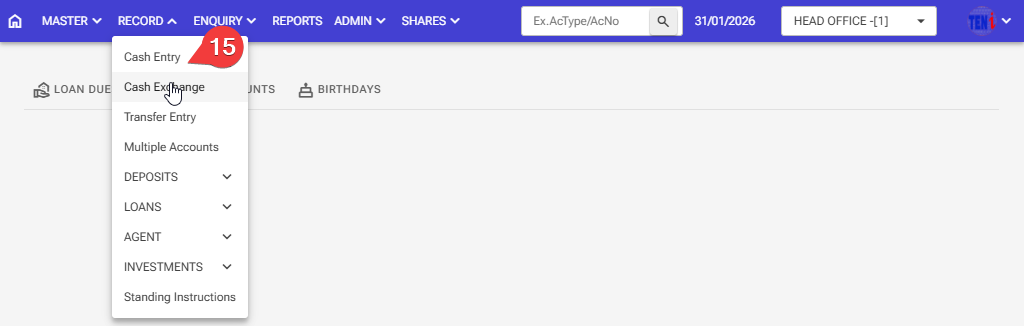
Step 15: Record > Cash Entry
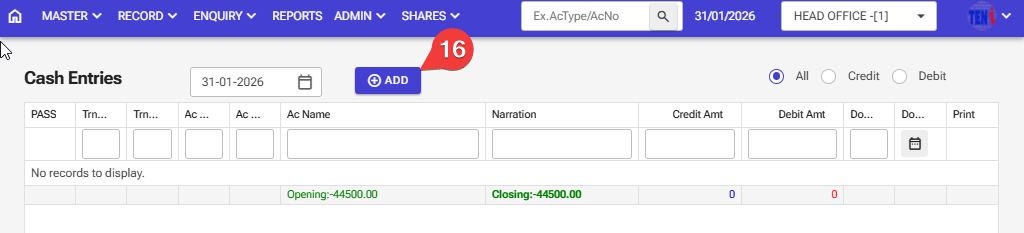
Step 16: Click on the ADD button
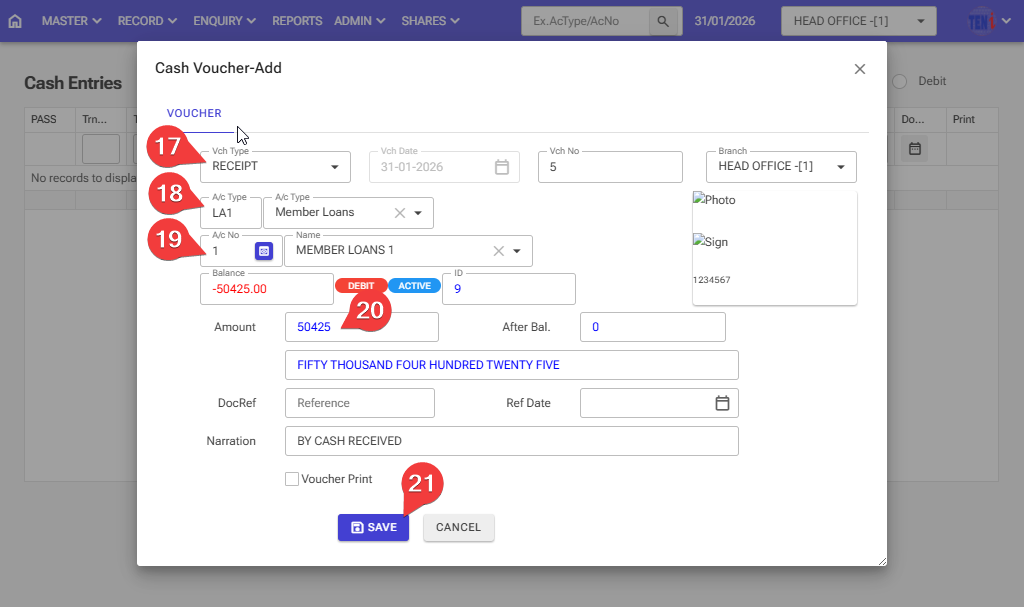
Step 17: If the customer has come to pay, select the receipt option there.
Step 18: Select the Account Type for member loans
Step 19: Select the Account number for member loans
Step 20: Enter the loan amount, which is the amount to be deposited.
Step 21: After filling in all the information, click on the ‘Save’ button, and your member’s loan account will be closed
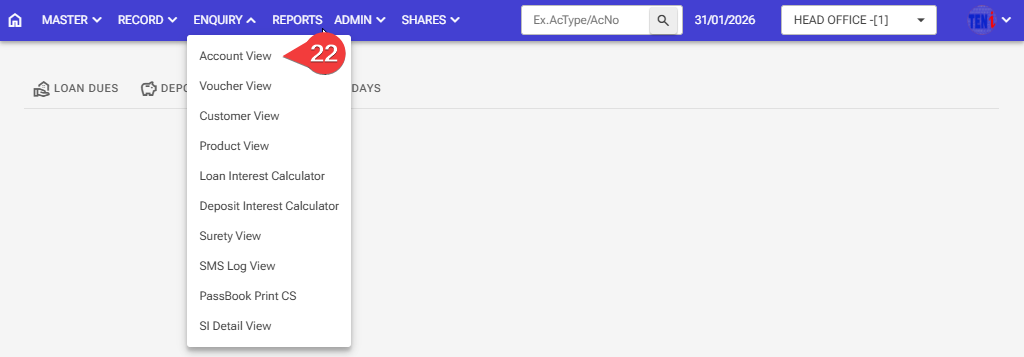
Step 22: How to check if a member’s loan account has become zero Enquiry > Account View
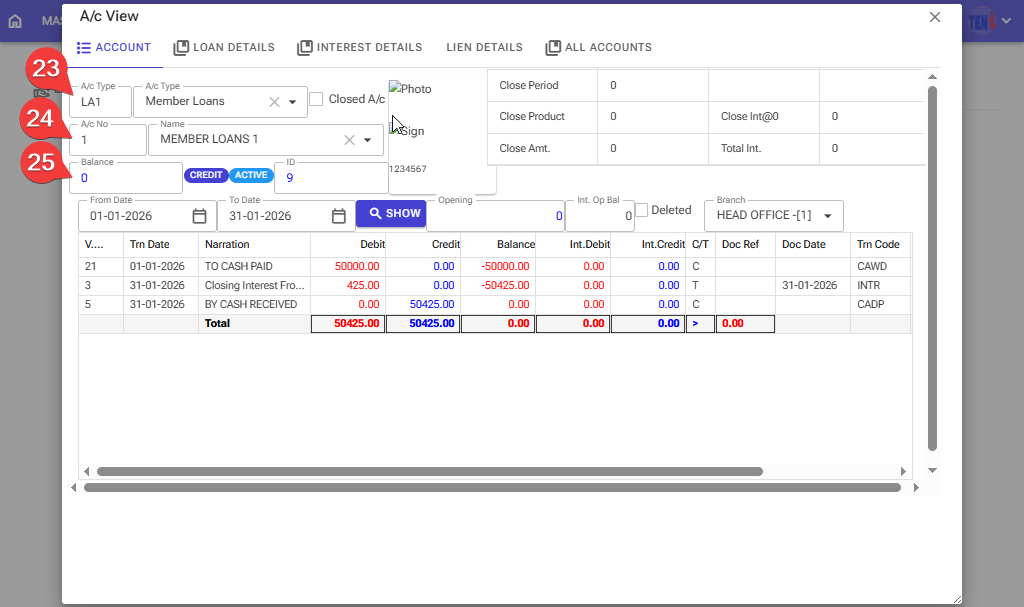
Step 23: Select the Account Type for member loans
Step 24: Select the Account number for member loans.
Step 25: The member’s loan account has been zero