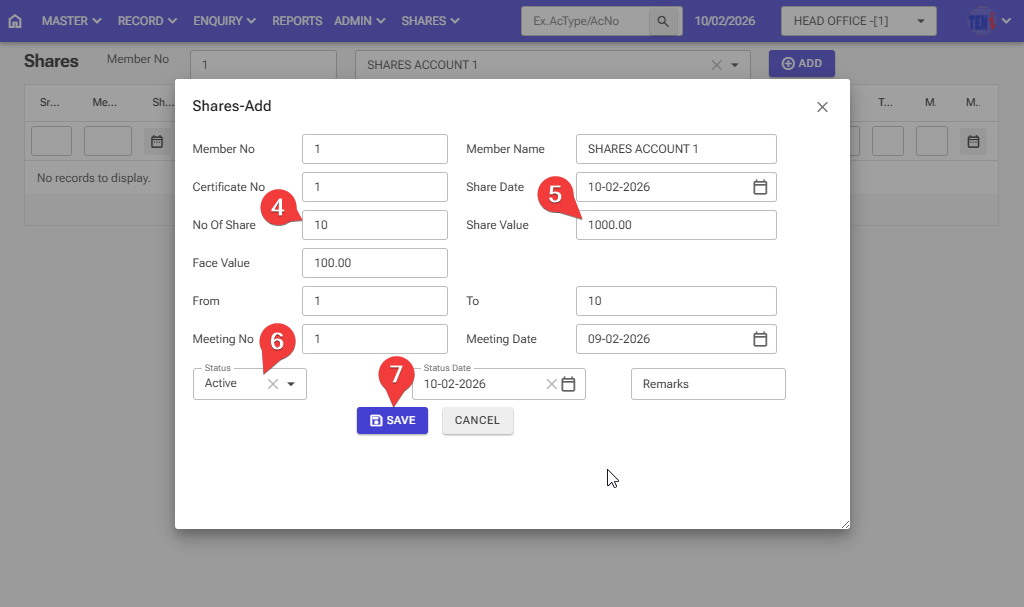
How to allocate a share in the software: Follow these steps in the software
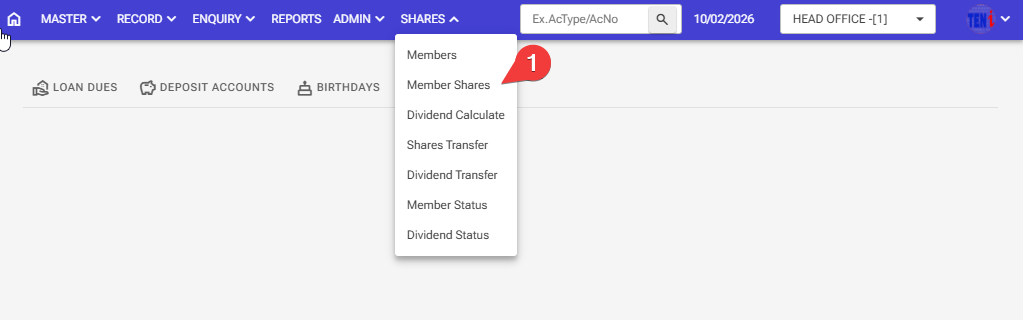
Step 1: Shares > Members Shares
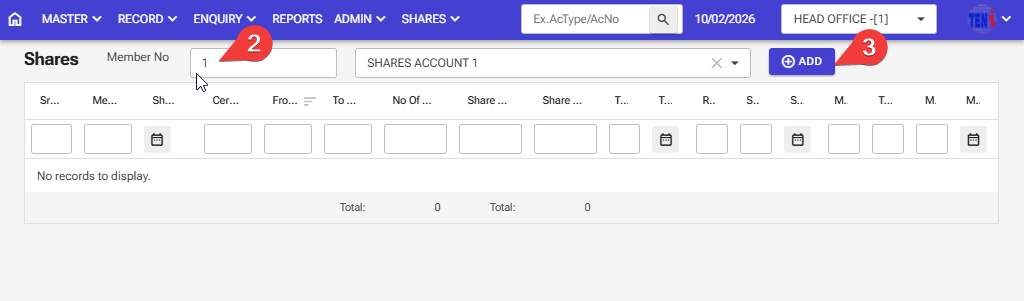
Step 2: Select the member number of the customer whose shares are to be allocated
Step 3: After selecting the member’s no from the dropdown, click the Add button.
Step 4: Enter the number of shares that a member has taken.
Step 5: Enter the number of shares taken by the member. For example, if a member takes 10 shares, the amount is Rs. 1000, which means the amount of one share is Rs. 100. So, that number, while entering the number of shares, will come automatically.
Step 6: Select the status active
Step 7: After filling in all the information, click on the ‘Save’ button, and your members will be allocated.