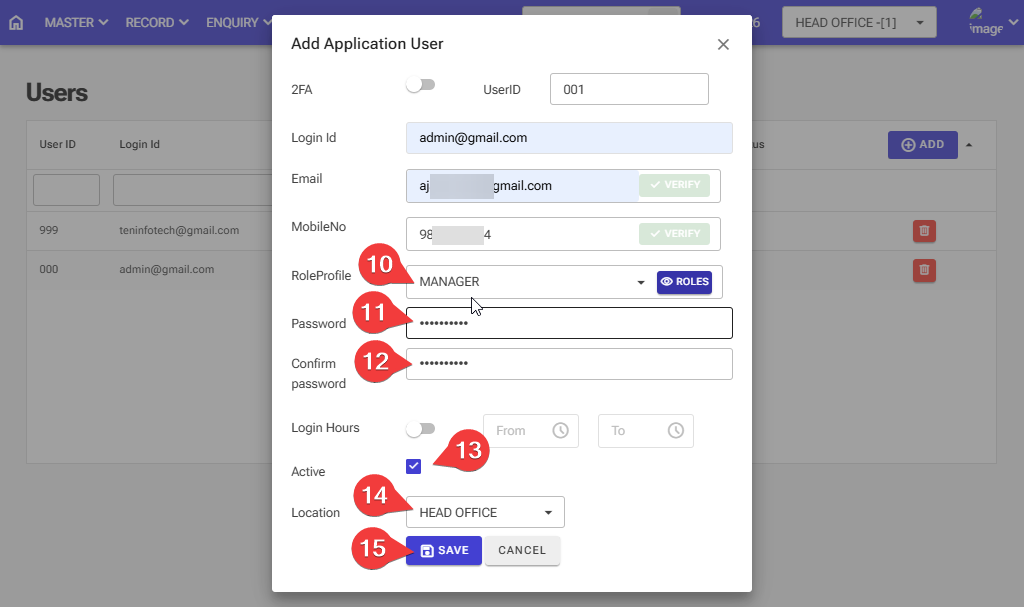
How to Create a New User: Follow these steps in the software
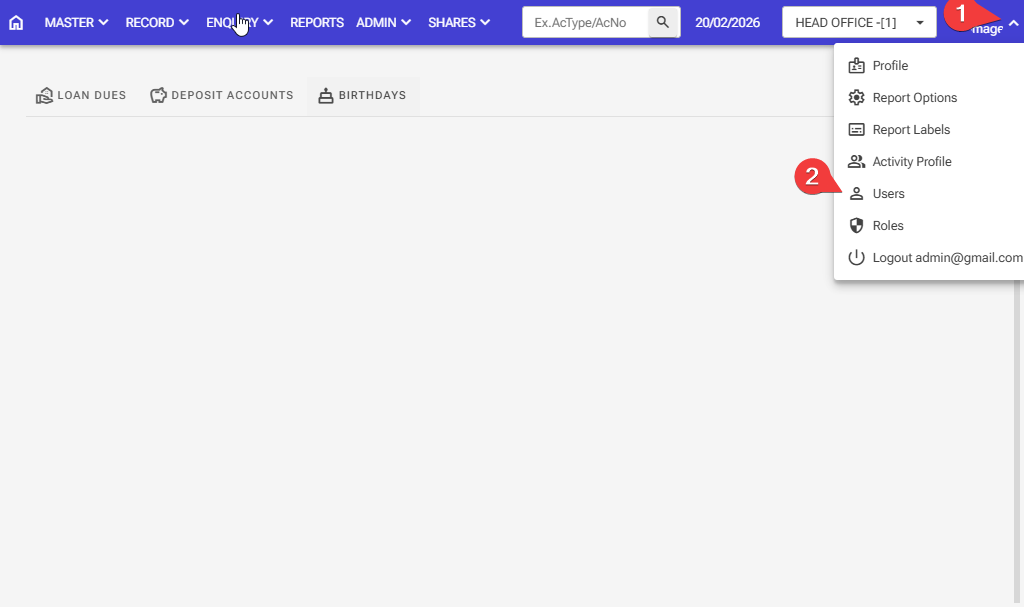
Step 1: Click in the top right corner of the screen
Step 2: Click on the users option
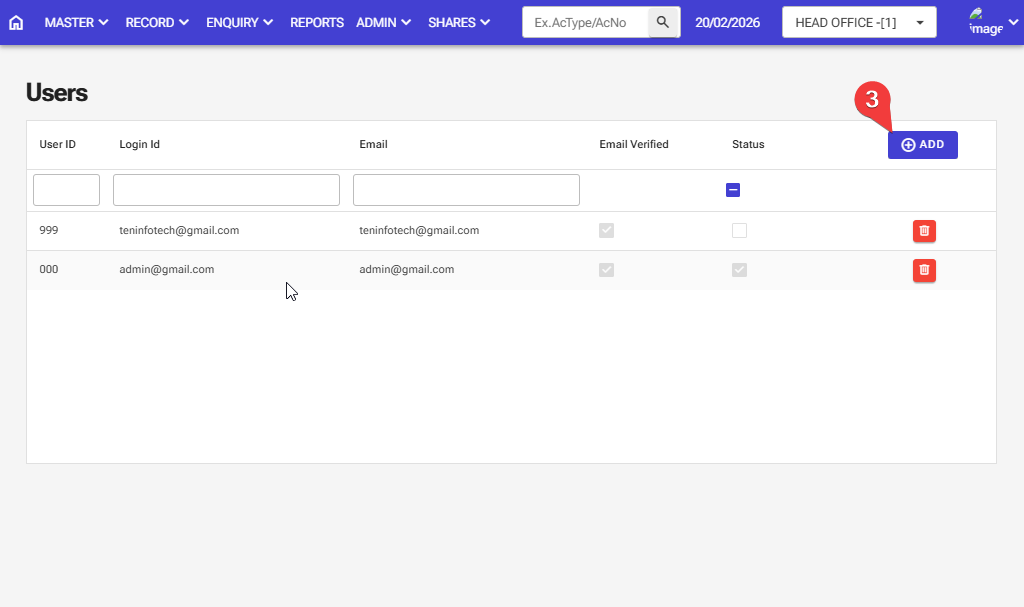
Step 3: Click on the add button
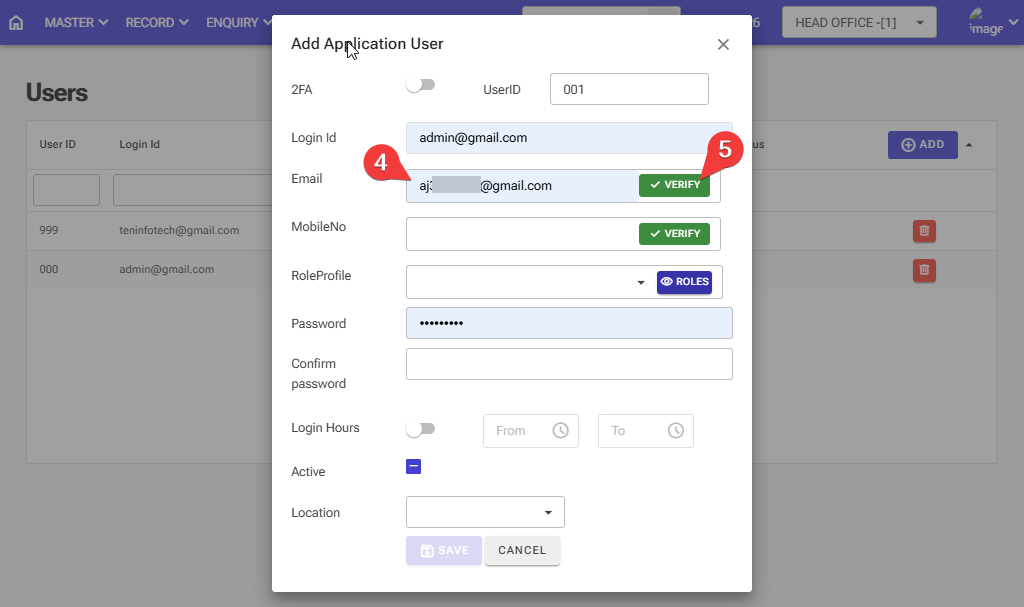
Step 4,5: Please enter a valid email ID. After entering your email ID, click on the Verify button, and you will receive the OTP on gmail
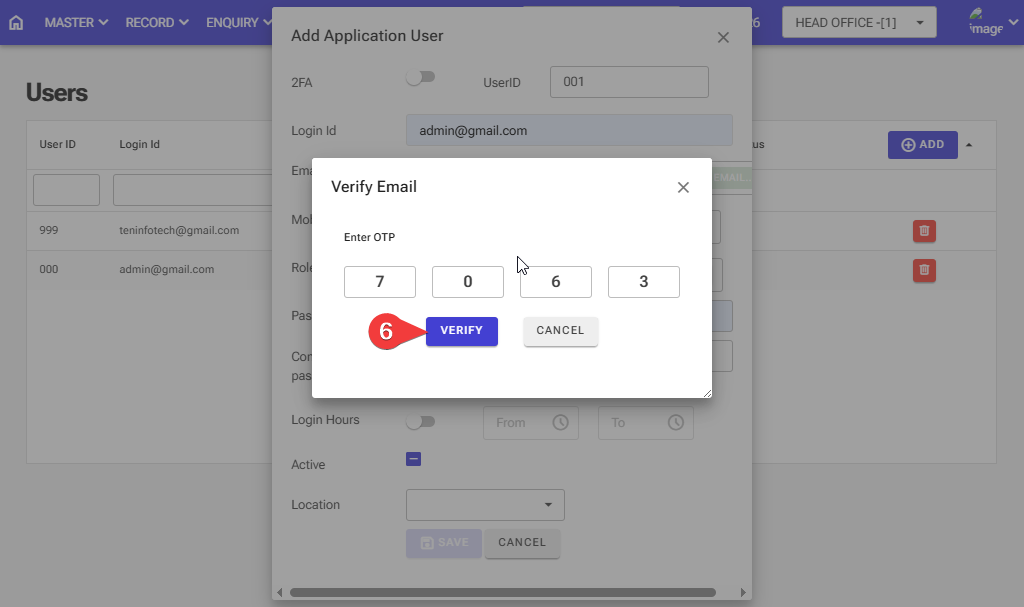
Step 6: Then the window below will be open, and then enter the otp then click on the verify button.
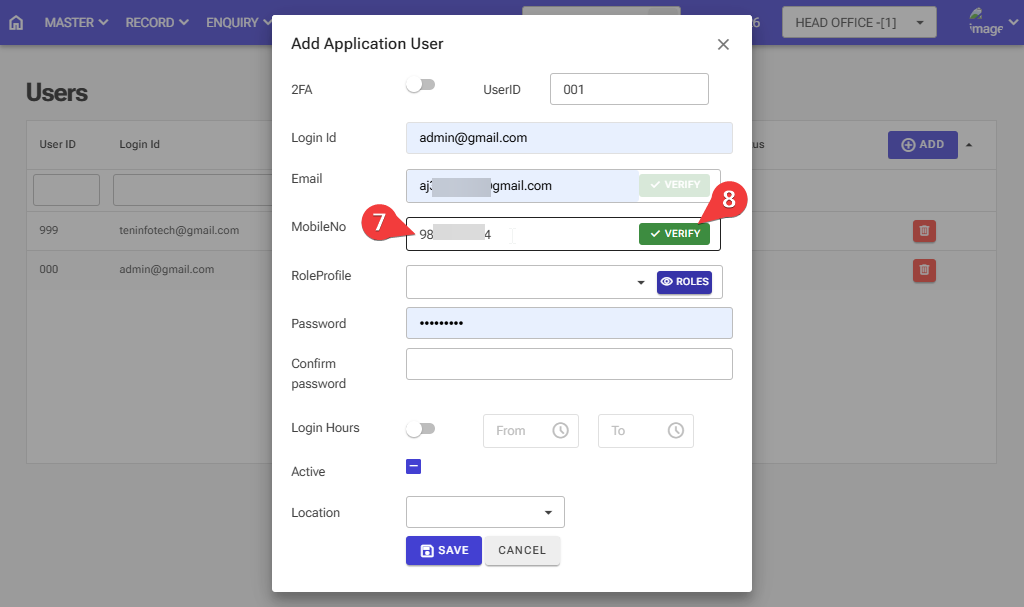
Step 7,8: Please enter a valid mobile number. After entering your mobile number, click the Verify button, and you will receive an OTP text message
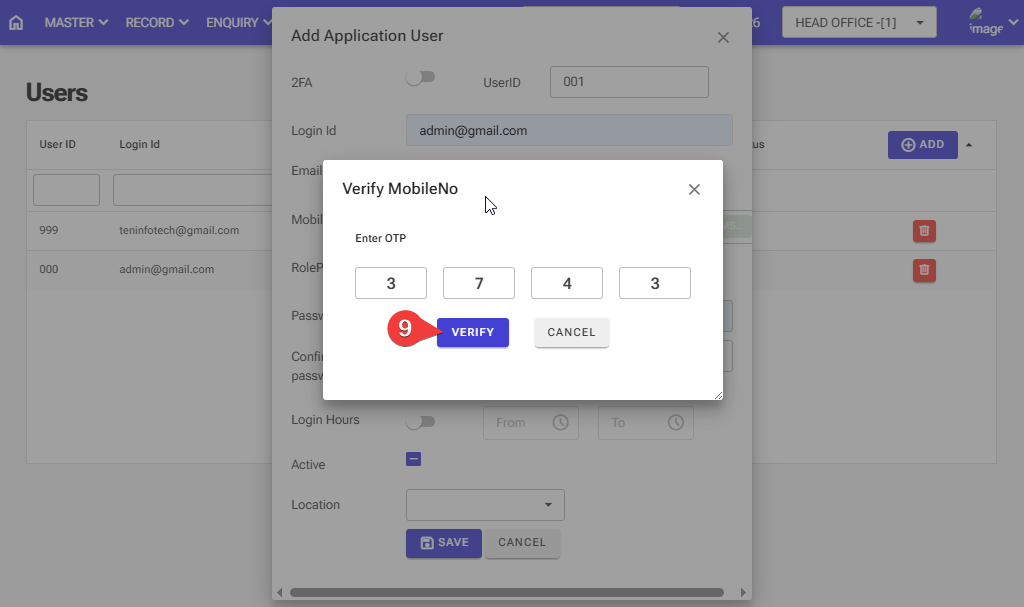
Step 9: Then the window below will be open, and then enter the otp then click on the verify button.
Step 10: Select the role profile from the dropdown
Step 11: Enter the strong password, for example, Abcd@12345
Step 12: Please re-enter the Confirm password
Step 13: Please tick the box and write
Step 14: Select the Location
Step 15: After entering all the information Click on the save button