How to debit money from one account to another account and how to deposit money into it: Follow these steps in the software.
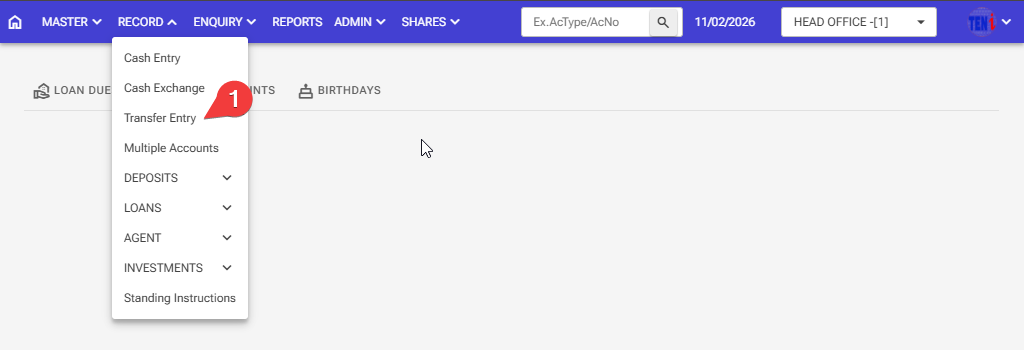
Step 1: Record > Transfer Entry
Step 2: First select the Transfer type
Step 3: Click on the ADD button.
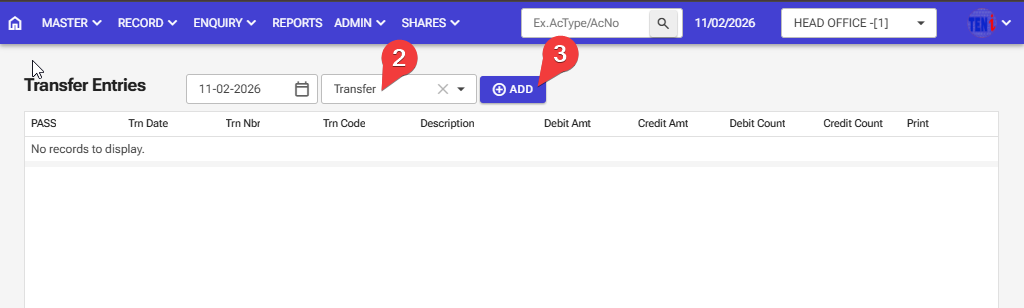
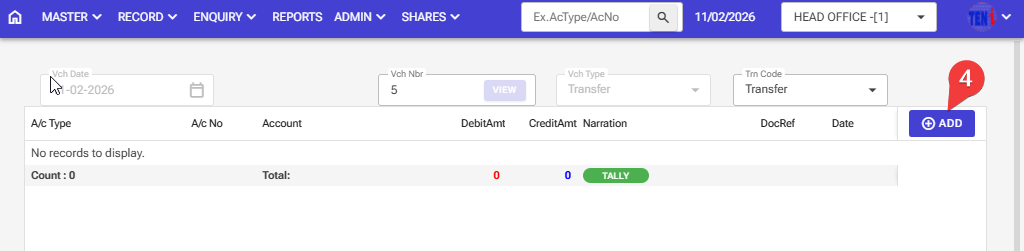
Step 4: Click on the ADD button.
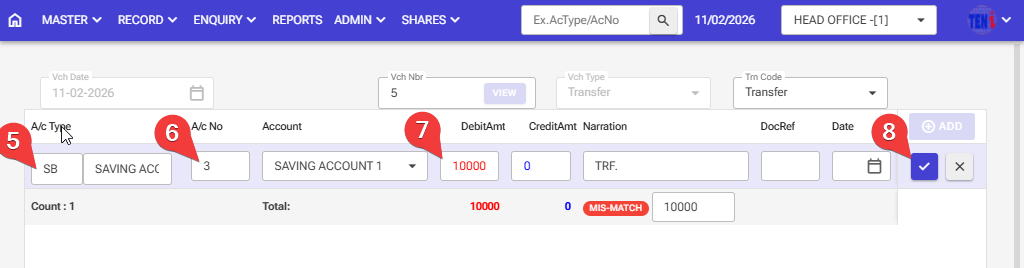
Step 5,6,7:Debit Side. Enter the savings account type, savings account number, and the debit amount enter
Step 8: Then click on the right icon.
Step 9: Click on the ADD button.
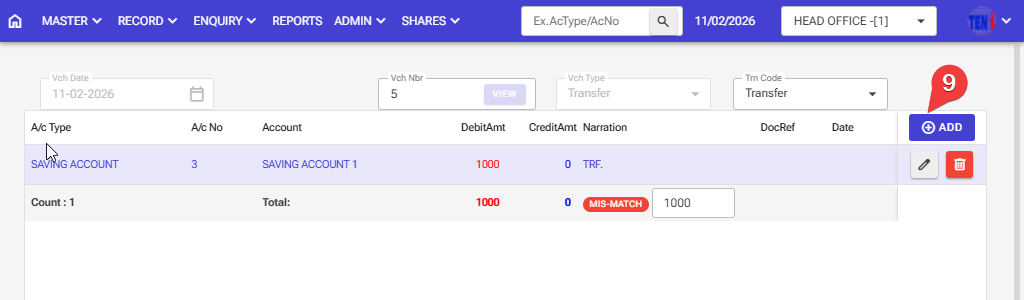
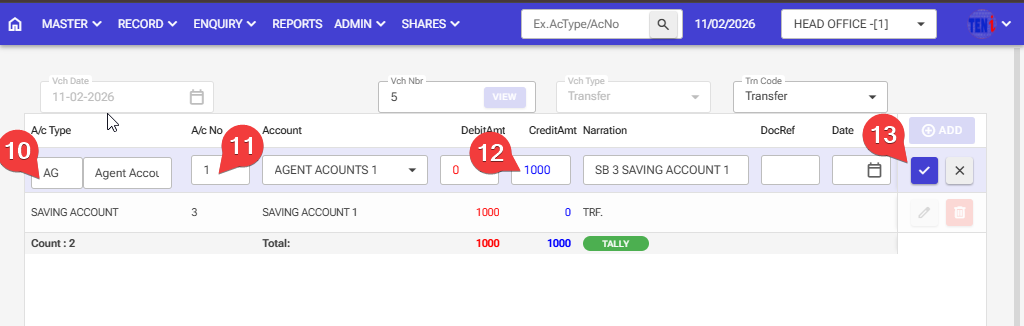
Step 10:11,12: Credit Side. Enter the Agebt account type, Agent account number, and the Credit amount enter
Step 13: Then click on the right icon.
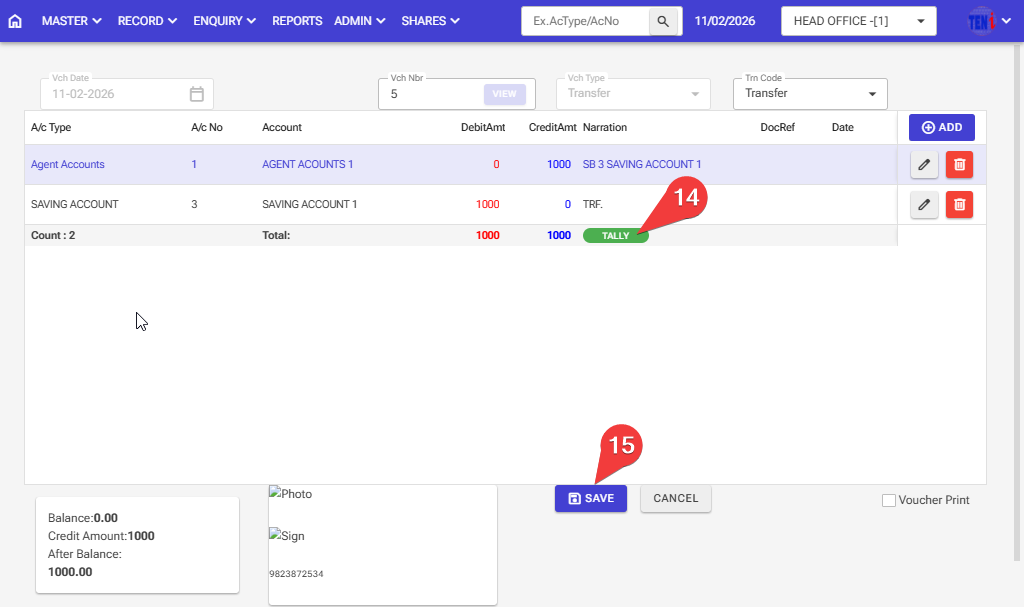
Step 14,15: The tally option show then the entry is saved; other wiese entry are not getting saved
,